

Portals: troubleshooting and FAQ
Most portal problems are one of four things: the person is not allowed (access list, a deny rule, a network restriction), a feature is switched off (in the portal, or on the agent), a change has not reached the published version of the agent, or a limit was reached. This page goes symptom by symptom.
Enterprise module
Portals are part of the enterprise edition. See Licensing.
Four tools to reach for first
| Tool | Where | Answers |
|---|---|---|
| View as | Portal → Access | Could this person or group open the portal, and which agents could they run? With an optional address, to test a network restriction. |
| The reference code | On the person's refusal screen | Paste it into IAM center → Access check → Look up a denied request to see the action, the people and the rules that decided. |
| Open as test | Portal → … → Open as test | What does the portal look like and do, right now, even if it is switched off or does not list you? |
| Change history | Portal → History | Who changed which setting, when and from where, with their reason. |
Getting in
A person sees "No access"
The screen says "Your account is not allowed to use this portal" and shows a reference code. Work through, in order:
- Is the person on the access list, directly or through a group? Use View as → Person. Selected with nobody chosen means nobody.
- Does a deny rule apply? Access → Policies that also apply lists the policies that mention this portal; Check a person runs the access check. Allow rules never add people.
- Is a network restriction set, and is their address listed? Run View as with their address, or ask them to open the page from an allowed network. A network refusal normally shows "Not available from here" instead.
- Is the account disabled? A disabled account is refused whatever the rules say.
- Paste the reference code into IAM center → Access check → Look up a denied request.
See Portal access boundaries for how the engine decides.
An owner or admin cannot open the portal
The access list admits only the people on it, and a workspace owner is no exception. Use Open as test (it works even when the portal is switched off), or add yourself to the list. The network restriction applies to test sessions too.
"Portal unavailable"
The portal is disabled. Enable it from the … menu. Only people who would otherwise be allowed in see this screen; people who are not allowed see "No access", so a refusal never reveals whether a portal is switched off.
"Portal not found"
The address does not match any portal in the person's workspace. Check the address (a changed address breaks old links) and that the person signed in to the right account; Sign in with another account signs them out.
"Not available from here"
The network restriction refused their address. Check the ranges, remember IPv4 and IPv6 are separate, and use Check another address with the person's address. If everybody is refused after you turned the restriction on, the address Console sees is probably your reverse proxy's: set TRUSTED_PROXIES to the proxy's address. A request whose address cannot be read is refused when a list is set.
"Temporarily unavailable"
Console could not decide whether the person may open the portal (the policy engine did not answer). The portal fails closed instead of guessing, and the person's account is fine. Try again is the right action; if it persists, an operator should check the policy engine and the server logs.
The terms keep coming back
Terms are asked again when the text changes (any edit raises the version), when the number of days you set has passed, or when the acceptance was made in a test session (those are kept apart and never count for the real portal). Another portal has its own terms. Accepting twice records once.
In the chat
A button is missing
| Missing | Check |
|---|---|
| Copy, regenerate, edit, rename, pin, select, rating, export, bell | Chat features tab: is the switch on? A portal created before the tab existed has none on until you save it. Rating comments need Allow a written comment; tool calls in exports need Include tool calls. |
| Regenerate on an old answer | Only the newest answer can be regenerated. |
| Edit on an assistant message | Only a person's own messages can be edited. |
| The paperclip | Files are off for that agent in its published version, or no bucket that works is chosen. Fix the agent's Files setting and publish again. Each agent decides for itself. |
"Too many requests. Wait a moment and try again."
A per-minute limit was reached: messages (including regenerations, edits and answers to requests) default to 30 per minute, uploads to 20. Check Limits; a value you set lower than the platform maximum may be too tight. The Retry-After header says how long to wait.
"There are too many open conversations. Delete an old one first."
The portal answered 429 TOO_MANY_CONVERSATIONS ("You have reached the conversation limit for this portal. Delete older conversations to start new ones."), which the chat shows in its own words. The person holds the maximum number of conversations (200 by default, or what you set). They should delete older ones, singly or with Select. If this is too tight, raise Conversations per person (up to the platform maximum).
The message box is blocked, or "Waiting for you"
The agent is waiting on an approval or a question. The card is in the conversation; answering it unlocks the box. Depending on the agent's setting, sending a message instead cancels the request. If the person cannot see a card, reload the page: open requests are restored.
An approval is refused ("APPROVAL_NOT_ALLOWED") or never appears
- Refused: the person is not allowed to answer. The person who started the conversation normally can; a deny policy, or a different person trying to answer, is refused with a reference code. Check Access → Policies and see Who can approve tool calls.
- No card appears: the agent's Approvals & questions setting decides which tools ask. Read-only built-ins are not asked about unless set. Remember the portal runs the published version: settings saved with the draft apply only after you publish again.
- A card expired: it stayed open past the agent's limit (a day by default). The tool was denied or the request dropped, per the agent's setting.
Starters or the welcome do not show
- A legacy portal shows only its plain welcome text until the Chat features tab is saved.
- Starters come from the portal only: in Chat features, open the agent and choose Set starters. The agent itself carries none.
- Welcome variables (
{{user.firstName}}) are filled in on the server; an unknown variable is left as written. - A welcome picture that is not an upload of this portal is refused when you save the text.
A deep link does not send the question
The question is only typed in unless Send the question automatically is on and the link carries &send=1. The agent named in the link must be one the person can open, otherwise the first agent opens.
No generated titles
Check Conversation titles: it may be off, set to a model that no longer exists in the project of the portal's agents, or the agent runs outside Console (it has no model of its own; choose A specific model). A title is written after the first answer and never blocks the conversation; a spend limit or a timeout simply means no title. A legacy portal has titles off until its Chat features are saved.
An image is attached but ignored
The agent's model cannot see images (the chat warns "This assistant can't see images"). Choose a vision-capable model for the agent, or ask people to attach text.
An announcement is not showing
Check its schedule (Scheduled or Ended), that it is among the five active at that moment, and whether the person dismissed it. Editing the text or importance gives it a new identity, so people see it again; editing only the dates does not.
Sound or desktop alerts do nothing
The portal only offers them. Browsers play sound only after the person has interacted with the page, and desktop notifications need the person to turn them on in the bell menu and allow them in the browser ("Blocked in the browser" means the site's notification permission is denied).
"PDF (print)" does not download a PDF
By design: Console has no PDF renderer in portals. The option opens a printable page; use the browser's print dialog and choose Save as PDF.
Settings that seem not to apply
| You changed | Why it may not show yet |
|---|---|
| An agent's Files, Approvals & questions, Experience or usage limit | The portal runs the published version. Publish again. |
| Limits | The node that handled your save applies them at once; other nodes within about 15 seconds. |
| Theme or language | The page remembers the last theme and language it saw to paint the first screen; it corrects itself once the portal answers. Reload. |
| Terms | An accepted answer is cached for up to a minute per person; a refused one is always read afresh. |
| Browser-tab name, icon, description | Written into the page after it loads. Link-preview crawlers cannot sign in, so they never see the preview image or description. |
| Embed sites or switch | Take effect within seconds and end the sessions that depended on them; people sign in again with a fresh token. |
Saving and settings errors
| Message or code | Meaning and fix |
|---|---|
Agent "x" has no published version (or is not active) and cannot be added | Publish the agent, and check that it is active. |
The address "x" is already used by another portal (KEY_TAKEN) | Choose another address. |
Choose a language model that exists in the projects of this portal's agents | The title model must be an llm model in the project of at least one of the portal's agents. |
Write the terms people should accept | Terms are on with an empty text. |
Pictures in the welcome text must be uploaded to the portal | Use Add a picture; remove pictures from other addresses. |
At most 5 announcements can be active at once | Shorten the overlap of schedules or remove one. |
… cannot be above 30 (invalid_limits) | The platform maximum is lower than what you entered; an operator sets it with PORTAL_MAX_* variables. |
An allow list needs at least one IP range (invalid_networks) | Add a range, or choose Any network. |
"x" is not a valid IP address or CIDR range | Fix the entry. IPv4 inside IPv6 is not accepted; at most 32 ranges. |
Only workspace owners and admins can do this / 403 FORBIDDEN | Portal administration is for owners and admins only. |
402 / "Enterprise license required" | The workspace has no active enterprise license. |
Import, export and duplicate
| Symptom | Cause and fix |
|---|---|
| "This is not a portal export" | The file is not a cognipeer.portal export. |
| "This file was exported by a newer version and cannot be read" | Export again from a Console that is not newer than this one, or update this one. |
| Agents, groups or people listed as "do not exist here" | They are left out. Agents are matched by key and project; an agent that exists but is not published is left out too. Create or publish them and run the check again. |
| Apply stays disabled | The report has problems (for example a key that is taken or a setting the platform refuses). Fix them in the file or choose another address. |
| The embed settings did not change after importing over a portal | By design: importing never changes who may sign in through an embed. Change them in the Embed tab. |
| A copy has no embed secret or terms acceptances | By design: a copy is disabled, has no secrets and starts the terms at version 1. |
Statistics look wrong
- A
≥in front of a number: some turn reported tokens without a price (cost is a lower bound), or more than 5,000 conversations were active in the window. - Zero conversations while people use it: check the window (7, 30 or 90 days, UTC days). Test sessions are excluded on purpose.
- Active users lower than people who opened it: only people who sent a message count.
FAQ
Do people need a Console account? Yes. They sign in with their own account, and the access list names them or their groups. Using a portal gives no dashboard access. To serve people who are signed in elsewhere, use embedding, which signs them in through your application.
Can a portal be public or anonymous? No. Every request needs a signed-in person (or a verified embedded identity), and the policy engine decides each time.
Which version of an agent does a portal run? The published one. Publish again to roll out changes.
Can one agent be in several portals? Yes. Each portal has its own audience, look, limits and statistics.
Who pays for the model calls? The portal's agents run on your workspace's model budget like any other agent run, and usage is recorded for the agent and the person who asked. Regenerating and editing count like new questions; generated titles are small recorded model calls too.
Where are the conversations, and who can read them? In the normal agent conversation store, tagged as portal conversations. They are listed read-only in Studio sessions, so people with read access to the agent can read them; other portal users cannot see someone else's.
Can I limit a portal to my office network? Yes, with the network restriction. Set TRUSTED_PROXIES first if Console runs behind a proxy.
Can people use it on a phone? Yes. The page adapts to small screens.
Can the language follow each person? No. The language is set per portal, so everybody reads the same words. Create another portal (or duplicate one) in the other language.
How do I move a portal from staging to production? Export its settings, import the file in the other workspace (agents, groups and people are matched by key, name and email) and read the dry-run report before you apply. The new portal starts disabled.
How do I see who changed a setting? The portal's History tab, or the console audit log (service portals).
What happens to conversations when I delete a portal? They stay in the console history. The portal's History is removed with it.
Still stuck?
Collect the portal address, the time, the person, the reference code from their screen and the relevant History rows, then check the console audit log (service portals) and the IAM center's access check. For embedding problems, see Embedding a portal; for the policy engine, see Authorization (IAM).
Where to go next
- Administering portals — every tab in detail.
- Using a portal — what your people see.
- Administration API and reference — routes, settings, limits and error codes.
Embedded portals
When something is refused, the person sees a short, generic message with a reference code. This page turns that code into a cause: what each screen means, every refusal code of the token exchange, the exact reasons the audit log records, the limits, the routes, and a short FAQ. For problems with the portal itself (access, networks, terms) see Troubleshooting portals and Troubleshooting authorization.
Enterprise module
Embedding is part of the enterprise portals module — see Embedding a portal.
Diagnose in three steps
- Read the screen. Match what the person sees to the table below.
- Take the reference code. A refused sign-in shows
Reference: E-1A2B3C4D. The same code is in theauth:errorevent your page receives (reference) and in the audit row. - Find the audit row. In Configure → Audit Log, set Service to Portals and Outcome to denied, then open the
portal.embed.refusedrow with that reference. Its metadata holds the exactreason(see Audit reasons) and theissuer,subject,originandsecretId— who, and from where. The caller is never told more than the generic message; only the audit log is.
What the person sees
| Screen | Meaning | Look at |
|---|---|---|
| Embedding is turned off — This portal cannot be shown inside another site. | The frame answered its one generic refusal. Any of: wrong tenant or portal key, embedding off, portal disabled, workspace not licensed, your site is not on the list, or the address was opened as a page of its own. | Allowed sites; the tenant and portal you pass. |
| This chat can't be shown here — This page is not allowed to embed the chat. | The page that frames the chat is not the origin it declared, or the declared origin is not allowed (origin_not_allowed, ancestor_mismatch). | The origin of the iframe; a page behind a different host name or port. |
| This chat can't be shown here — Open this chat from the page it is embedded in. | The address was opened on its own, not in a frame (not_framed). | Open the host page, not the frame's address. |
| Connecting… → Waiting for the page to sign you in… | The frame asked for a token and no token arrived for 10 seconds. Your page emits auth:required (reason: "no_token"). | getToken missing, failing or returning nothing; cp:auth posted to the wrong origin; a CSP blocking your token request. |
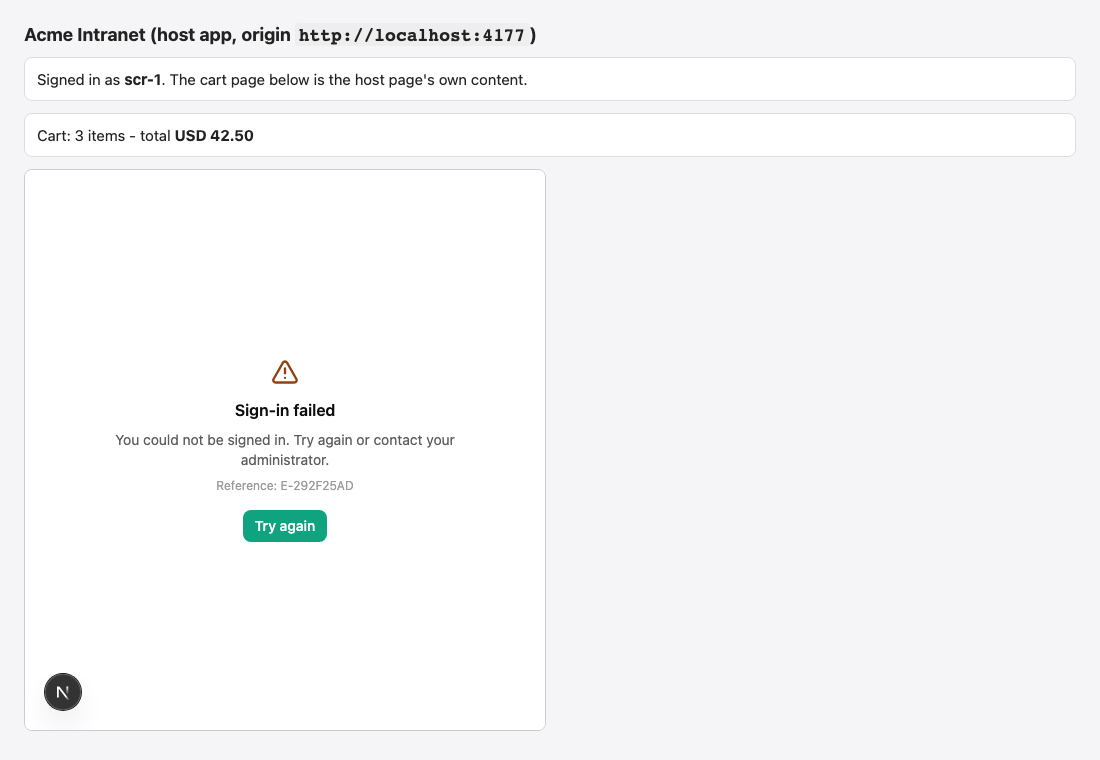
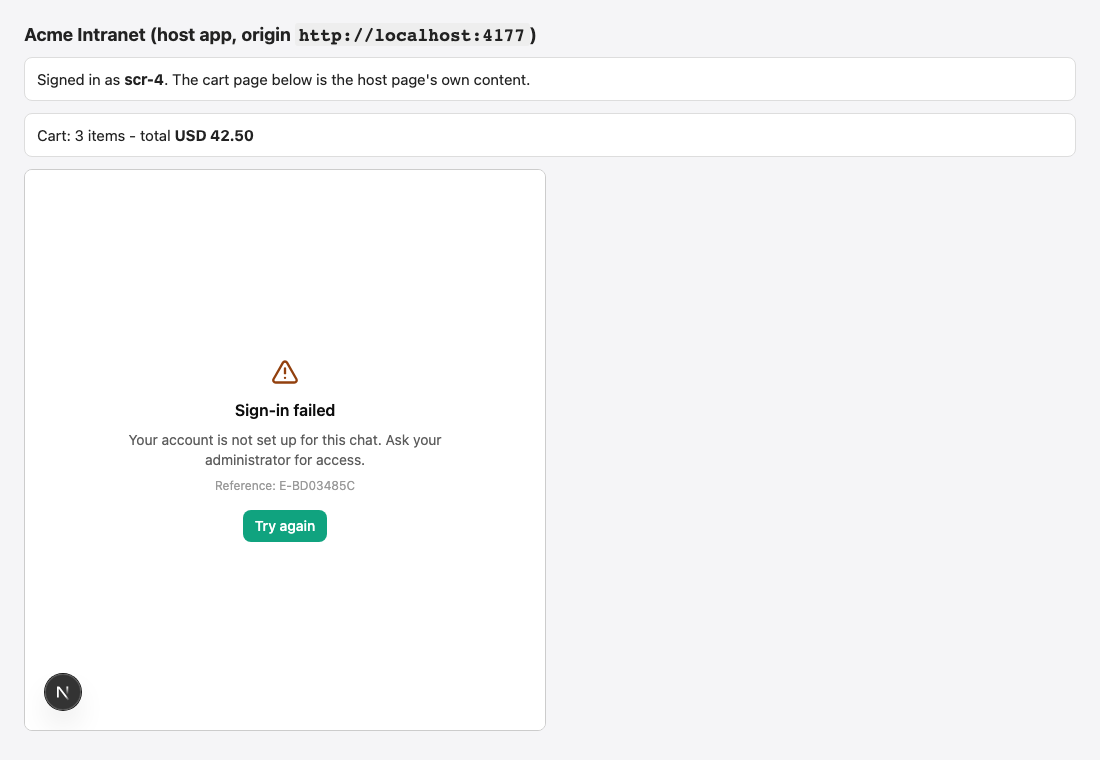
| Sign-in failed + a reference code | The exchange was refused. The text is generic, except for identity_not_found ("Your account is not set up for this chat. Ask your administrator for access."), network_error and rate_limited. | The audit row for the reference code. |
| Session expired — Reconnect to keep chatting. | The session ran out and no fresh token arrived in time. | Sessions: your page did not answer cp:token_request. |
| You have been signed out | Your page called logout() (or posted cp:logout). | Give the chat a new token with setToken(token). |
| No access — Your account is not allowed to use this portal. + a reference | The token was accepted but the policy engine refused the person. | The portal's access list, People who arrive through the embed, the network restriction, and the decision in the Authorization center. |
| Not available from here | The portal's network restriction refuses the person's address. | The portal's network settings; TRUSTED_PROXIES behind a proxy. |
| Enterprise license required | The workspace has no active enterprise licence. | Licensing. |
| Temporarily unavailable + Try again | The policy engine could not decide (HTTP 503). Never read as "no access". | Retry; the Authorization center shows each unavailable decision. |
Refusal codes at the exchange
POST /api/portal/<key>/embed/session answers a refusal as { "error": { "code", "message", "reference" } }. A 429 also carries Retry-After.
| Code | HTTP | Shown as | Causes | Fix |
|---|---|---|---|---|
token_invalid | 401 | "The sign-in was refused." | Anything wrong before or in the signature: unknown workspace, portal or site; embedding off; no usable key; bad signature; wrong algorithm, issuer or audience; missing or malformed claims; a lifetime above the limit; a token from the future; a token that is too large. Also an unknown site and every other failure before the signature is checked — on purpose, so the endpoint tells a stranger nothing. | The audit reason says which. Typical fixes: copy the issuer and audience from the Embed tab, use the secret as UTF-8 text, send kid with two secrets, list the site. |
token_expired | 401 | "The sign-in token has expired." | The token was valid and has run out (60 seconds of clock skew allowed), or its iat is older than the longest lifetime. | Mint a fresh token for each call; check your server's clock. |
token_replayed | 401 | "The sign-in token was already used." | That jti was already exchanged — a cached token, a double mount, or a retry that reused it. | Mint a new token for every exchange. |
identity_not_found | 403 | "You are not set up to use this chat." | Nobody matches and When nobody matches is Refuse them; the token had no email_verified: true; a member is already linked to a different subject of this issuer; a member account could not be created (no verified address, or the address is taken). | Identity mapping: send email_verified: true, or match by identity, or let the portal create accounts. |
identity_privileged | 403 | "This account cannot sign in this way." | The token names a workspace owner or administrator, also through a group. | Administrators try a portal with Open as test or the Try it page. |
account_disabled | 403 | "This account is disabled." | The matched account is disabled, or no longer active. | Re-enable the account. |
quota_exceeded | 403 | "The limit of embedded accounts has been reached." | The licence's user limit is full, so the account to create does not fit. | Free a seat, raise the licence, or stop creating accounts. |
rate_limited | 429 | "Too many sign-in attempts. Try again in a moment." | 20 refused attempts a minute from the address; 600 verified tokens a minute for the portal; 20 sessions a minute for the person. | Wait Retry-After; stop retrying a failing token in a loop. |
exchange_unavailable | 503 | "Sign-in is temporarily unavailable. Try again in a moment." | The console could not check (a database error). It never lets a token through unchecked. | Retry; check the console's health. |
Audit reasons: the exact cause
Every refused exchange writes portal.embed.refused with a reason. Verifier reasons are shown as code: message.
Before the signature is checked
| Reason | Meaning | Fix |
|---|---|---|
rate_limited_ip | The caller's address used up its 20 refused attempts a minute. | Wait; fix the cause. |
bad_address | The workspace slug or the portal key is malformed. | Check tenant and portal in mount(). |
no_token | The body had no token, an empty one, or one above 8192 characters. | Send { "token": "<jwt>" }. |
tenant_unknown | No workspace with that slug. | Check tenant. |
licence_required | The workspace has no active enterprise licence. | Licensing. |
portal_unknown | No portal with that key. | Check portal. |
embed_disabled | The portal does not allow embedding. | Switch Allow embedding on. |
portal_disabled | The portal's status is not Enabled. | Enable the portal. |
rate_limited_portal | 600 verified tokens a minute for this portal were used. | Wait; reduce renewals or session churn. |
origin_missing | The origin parameter is absent or not an address. | Pass the page's origin. |
origin_not_allowed | The declaring site is not exactly one of the Allowed sites. | Add the exact origin (scheme, host and port). |
no_key | The portal has nothing to check a signature with: no readable secret (HS256), or no public key or key set (RS256 / ES256). | Generate a secret, or paste a key. |
malformed: no token, too_large | The token is empty or above 8192 characters. | Do not put data in the token. |
In the token
| Reason | Meaning | Fix |
|---|---|---|
invalid_assertion: The assertion is not a signed token | Not three dot-separated parts. | Send the compact JWT only. |
invalid_assertion: The assertion algorithm is not allowed | The header's alg is not the one the portal pinned (or is none). | Sign with the portal's algorithm. |
invalid_assertion: The assertion key id is not usable | kid is not text, or longer than 256 characters. | Use the key id as shown. |
invalid_assertion: The assertion signature does not match | The signature does not match the key. | Use the secret as UTF-8 text; check the right secret and the right key. |
invalid_assertion: The assertion's "iss" claim is not acceptable … | The issuer differs from the portal's. | Copy the Issuer; mind slashes and case. |
invalid_assertion: The assertion's "aud" claim is not acceptable … | The audience is not this portal's (or not the workspace form, when required). | Use cognipeer-portal:<key> or cognipeer-portal:<slug>:<key>. |
invalid_assertion: The assertion's "<claim>" claim … | Another required claim (exp, iat, sub) is missing or malformed, or nbf is in the future. | Send all required claims. |
invalid_assertion: The assertion was issued in the future | iat is more than 60 seconds ahead. | Fix your server clock. |
invalid_assertion: The assertion is valid for longer than allowed | exp - iat exceeds the portal's longest lifetime. | Use 120–300 seconds. |
invalid_assertion: The assertion has no usable subject | sub is missing, empty or longer than 512 characters. | Send a stable sub. |
invalid_assertion: The assertion has no usable id | jti is missing, empty or longer than 256 characters. | Send a fresh jti. |
invalid_assertion: The assertion carries an email that is not an address | email is present but not an address. | Send a valid address or omit it. |
invalid_assertion: The assertion context is larger than 4096 bytes | ctx is too big. | Keep ctx under 4 KB. |
claim_invalid: ctx must be an object | ctx is not a JSON object. | Send an object. |
expired: The assertion has expired / … is older than allowed | Past exp (beyond skew), or iat older than the longest lifetime. | Mint per call; check the clock. |
replayed: This assertion was already used / jti_replayed | The jti was used before. | Mint per call. |
untrusted_key: No shared secret is configured for HS256 | HS256 pinned but no secret exists. | Generate a secret. |
untrusted_key: The token has no key id and several secrets are configured | Two secrets, no kid. | Send kid. |
untrusted_key: The token names a key id that is not configured | kid matches no secret (removed or mistyped). | Use an existing key id. |
untrusted_key: No public key is configured for RS256 (or ES256) | RS256 / ES256 pinned but no PEM or key set. | Paste a key or enter a key set address. |
untrusted_key: No key of the configured key set could verify this token | The key set is unreachable, too large, not JSON, or has no key for the token's kid. | Publish the key set on a public https address; set kid. |
untrusted_key: The configured public key cannot verify this algorithm | The key's type does not fit the algorithm (an RSA key for ES256). | Paste the right kind of key. |
After the signature
| Reason | Meaning | Fix |
|---|---|---|
identity_unknown_principal | Nobody matched, or the account to create needs a verified address. | See identity_not_found above. |
identity_conflict | The member is linked to another subject of this issuer, or the address is already held. | Resolve the duplicate identity. |
identity_disabled, account_not_active | The account is disabled. | Re-enable it. |
identity_seat_limit | The licence's user limit is full. | Free a seat. |
identity_privileged | An owner or administrator. | Use Open as test. |
rate_limited_user | 20 sessions a minute for this person. | Stop the loop. |
bind_address_unknown | Tie a session to the network range is set but the caller's address is unknown. | Configure TRUSTED_PROXIES, or change the binding. |
internal_error | The console could not check. | Retry; check health. |
Other embed events in the same log: portal.embed.exchange (accepted), portal.embed.logout, portal.embed.sessions_revoked, portal.embed.memberships_released, and portal.embed.test (a Try it sign-in).
After sign-in
The chat uses the portal API with the session's bearer token. What it can be refused with:
| Status | Meaning |
|---|---|
401 | The session is not live (ended, revoked, wrong portal, binding mismatch, site removed, embedding off, account disabled). The chat renews once and retries. |
402 | The workspace has no enterprise licence (requiresEnterprise: true). |
403 | The person has no access (a reference code is shown), the network restriction applies, or the request was cross-site (CROSS_SITE_REQUEST). |
404 | The portal does not exist. |
415 | A request body that is not JSON. |
429 RATE_LIMITED | A per-person limit of the chat (below). Retry-After is set. |
503 | The policy engine could not decide. Never read as "no access". |
Common problems
| Problem | Cause and fix |
|---|---|
| Nothing appears on the page | The script was blocked by your CSP, or portal / tenant is missing (the console shows [CognipeerPortal] "portal" and "tenant" are required). In bubble mode the frame is only created when the bubble is first opened. |
| The bubble appears but is unstyled | A strict style-src blocked the widget's one <style> element — see Hosting, CSP and security. |
| "Waiting for the page to sign you in…" | Your getToken is not defined, throws, or returns nothing; your CSP blocks the token request; with a plain iframe your page does not answer cp:ready. |
| It works locally and not in production | http://localhost is allowed only on development and self-hosted installations; production needs https origins. |
It works on www. and not on the bare domain | Origins are exact — list each host name and port separately. |
| Sign-in fails for some people only | Their token lacks email_verified: true; their groups arrived as a string; their account is an owner or admin; they are not on the access list. The audit rows say which. |
| People are signed out every N minutes | Session length is N minutes and your page did not answer cp:token_request, or your token endpoint failed at renewal. |
token_replayed on every second load | A token is cached or reused (a CDN cached the endpoint, or the page mounts the widget twice with one token). Return Cache-Control: no-store and mint per call. |
rate_limited from many people at once | Everyone shares one address behind a proxy that is not listed in TRUSTED_PROXIES. |
| The chat works but the agent ignores page tools | The agent is not switched on for page tools in this portal (Chat features tab → the agent → May use the page's tools) — see Tools in your page. |
| A removed secret still lets people chat | Removing a secret stops new sign-ins; open sessions run on. Press Sign everyone out. |
Use the Try it page
In the Embed tab press Open the test page (it opens /dashboard/portals/<id>/embed-test, for workspace owners and administrators only). It plays your application:
- Create a test token — available for shared-secret signing. Enter a subject, and optionally an email (with Email is verified (email_verified)), a name and comma-separated groups. The console signs a token with the portal's own secret; it lives a few minutes and never exceeds the portal's longest lifetime.
- Paste a token — for RS256 / ES256, where the console never holds the private key. A pasted token works once; paste a new one before each Start.
- What the chat reported lists the events the page received and the page tools it answered (with a canned result).
The token is checked exactly like a real one — signature, claims, mapping, access. The only thing replaced is the allowed site check, by a pass that lasts ten minutes and that only owners and administrators can mint. A test sign-in is audited as portal.embed.test.
Limits
| What | Limit |
|---|---|
| Allowed sites | 20 per portal |
| Shared secrets | 2 per portal |
| Token | 8192 characters; the portal's Longest token lifetime 30 to 600 s (default 300); clock skew 60 s |
sub, iss | 512 characters |
email, name, jti | 320, 200 and 256 characters |
groups | 100 entries of 200 characters |
ctx | 4 KB of JSON, an object |
| Group mappings | 100 per portal; value 200 characters, console group name 120 |
| Session length | 5 to 1440 minutes (default 60) |
| Session token | at most 200 characters; stored as a hash |
Page context (context) | 8 KB of JSON, 6 levels deep |
| Prefill text | 8000 characters via the API, 2000 via the address |
| Tools in your page | 20 per portal; name 48 characters; description 1000; schema 16 KB; wait 1 to 600 s; result 64 KB |
| Widget window | width 280 to 800, height 400 to 1000 pixels; button text 24 characters |
| JWKS | https address of 1000 characters; 256 KB; 5 s; cached 10 minutes |
| PEM | 8192 characters; RSA at least 2048 bits; EC P-256 |
| Refused exchanges | 20 a minute per address |
| Verified exchanges | 600 a minute per portal |
| New sessions | 20 a minute per person |
| Chat messages (regenerate, edit, answer, continue) | 30 a minute per person and portal by default; a portal can set a lower value |
| Uploads | 20 a minute by default |
| Open event streams | 5 per person by default |
| Conversations kept | 200 per person by default |
| Conversations created | 20 a minute |
| Request body | 64 KB (file uploads aside) |
The chat limits are the platform's ceilings (operators can change them with PORTAL_MAX_MESSAGES_PER_MINUTE, PORTAL_MAX_UPLOADS_PER_MINUTE, PORTAL_MAX_STREAMS_PER_USER and PORTAL_MAX_CONVERSATIONS_PER_USER); the portal's Limits tab can only set lower values.
Routes
Public routes
These need no cookie and no API token. The signed token is the credential.
| Route | Purpose |
|---|---|
GET /api/embed/portal.v1.js | The widget script (also /api/embed/portal.js). |
GET /api-embed/portal/<key>?tenant=<slug>&origin=<host origin> | The frame page. Optional: mode, lang, theme, agent, q, send, hist, ec. |
POST /api/portal/<key>/embed/session?tenant=<slug>&origin=<host origin> | The token exchange. |
DELETE /api/portal/<key>/embed/session | End the session whose bearer token makes the request. |
GET /api/portal/<key>/embed/widget?tenant=<slug> | The bubble's look, for a page on the allowed list. |
Exchange a token — { "token": "<jwt>" }, at most 8192 characters:
curl -sS -X POST \
  "https://console.example.com/api/portal/support/embed/session?tenant=acme&origin=https%3A%2F%2Fintranet.example.com" \
  -H "Content-Type: application/json" \
-d "{\"token\":\"$TOKEN\"}"{
"sessionToken": "cp_es_665f0c9a1b2c3d4e5f607182.k3J0hTq1m8xQ0y2Nn0oWmQ1Z4hV9Zb7sTt5r2dLwXUc",
"expiresAt": "2026-10-12T11:04:31.000Z",
"user": { "name": "Ada Lovelace", "email": "ada@example.com" }
}A refusal:
{ "error": { "code": "identity_not_found", "message": "You are not set up to use this chat.", "reference": "E-1A2B3C4D" } }This uses the token up and opens a real session — fine for a smoke test, but the widget does all of it for you. The response is Cache-Control: no-store.
End a session — DELETE /api/portal/<key>/embed/session with Authorization: Bearer cp_es_… answers 200 { "success": true } whether or not the token was known.
The bubble's look — GET /api/portal/<key>/embed/widget?tenant=<slug> with an Origin header of an allowed site answers 200 { "widget": { "position": "bottom-right", "launcherIcon": "sparkle", "launcherText": "Ask", "primaryColor": "#6d28d9", "openOnLoad": false, "width": 380, "height": 600 } }, echoes the origin in Access-Control-Allow-Origin, and is cached for a minute. Every other caller gets the same 404 as for a portal that does not exist.
Administration routes
These are dashboard routes (the rest of the portal administration API is in the Portals API reference). They authenticate with the browser session of a workspace owner or administrator — not with an API token, and not with a custom role — and answer 401 without a session, 402 without an enterprise licence and 403 to anybody else. Errors are { "error", "code", "field"? }.
| Route | Purpose |
|---|---|
GET /api/portals/<id> | The portal with its embed settings (embed, secrets as key ids only) and embedInfo (tenant, audience, workspaceAudience, consoleUrl, allowInsecureLocalhost). |
PATCH /api/portals/<id> | Save embed settings (a partial merge) and, optionally, access.embedded. |
POST /api/portals/<id>/embed/secrets | Generate a shared secret. |
DELETE /api/portals/<id>/embed/secrets/<kid> | Remove a shared secret. |
GET /api/portals/<id>/embed/status | { "status": { "activeSessions": 3, "externalUsers": 12 } } |
POST /api/portals/<id>/embed/sessions/revoke | Sign everyone out. Answers { "revoked": 3 }. |
POST /api/portals/<id>/embed/test-token | A short-lived test token (shared-secret signing only). |
POST /api/portals/<id>/embed/test-frame | The test frame's address and its signed pass. |
Save the embed settings
{
  "reason": "Allow the intranet",
  "embed": {
    "enabled": true,
    "allowedOrigins": ["https://intranet.example.com"],
    "signing": {
      "algorithms": ["HS256"],
      "issuer": "https://intranet.example.com",
      "maxTokenAgeSeconds": 300,
      "requireWorkspaceAudience": false
    },
    "mapping": {
      "matchBy": ["externalId", "verifiedEmail"],
      "jit": "none",
      "trustEmails": false,
      "groupMap": [{ "idpGroup": "support-agents", "consoleGroupName": "Support agents" }]
    },
    "session": { "ttlMinutes": 60, "bind": "none" },
    "widget": { "position": "bottom-right", "launcherIcon": "sparkle", "launcherText": "Ask", "primaryColor": "#6d28d9", "openOnLoad": false, "width": 380, "height": 600 },
    "clientTools": [
      {
        "name": "get_cart_total",
        "description": "Reads the total of the cart the person has open.",
        "inputSchema": { "type": "object", "properties": { "currency": { "type": "string" } }, "required": ["currency"] },
        "timeoutSeconds": 30
      }
    ]
  },
  "access": { "mode": "selected", "groupIds": ["<group id>"], "userIds": [], "embedded": "access_list" }
}Only the fields you send change. null clears issuer, keys.pem, keys.jwksUrl, launcherText and primaryColor. hsSecrets in a patch is ignored — secrets are made and removed by their own calls. Turning enabled on requires at least one allowed site, an issuer, and a secret (HS256) or a key (RS256 / ES256). The error codes are invalid_embed, invalid_origin, invalid_signing and invalid_client_tool (HTTP 400) with the failing field.
Generate a secret — 201:
{
  "secret": { "kid": "sec_3f9a1c07d2", "createdAt": "2026-10-12T10:04:31.000Z", "secret": "cps_Q1x0v8N3kJ2mZ7sH4tR9yLw5uB6eD1aGpC8nXoVfT2iM" },
  "portal": { "id": "…", "key": "support", "embed": { "…": "…" } }
}The secret is in this answer and nowhere else, ever. A third secret is refused with 409 secret_limit; removing one that does not exist is 404 secret_not_found; removing the only secret while embedding is on is 409 invalid_signing.
Create a test token — { "subject": "test-user-1", "email": "ada@example.com", "emailVerified": true, "name": "Ada", "groups": ["support-agents"] } answers { "token": "…", "expiresAt": "…" }. Create the test frame — { "origin": "https://console.example.com" } answers { "path": "/api-embed/portal/support?tenant=acme&origin=…&test=…", "signature": "…", "expiresInSeconds": 600 }.
Export, import and copies
A portal's settings, the Embed tab included, can be exported to a file, imported into a new portal, or duplicated. The file never holds a shared secret. A new portal made from a file or a duplicate starts with embedding off and gets a new secret when you generate one. Importing over an existing portal never changes who may sign in through the embed — the allowed sites, the signing settings, the identity mapping, the session rules, whether embedding is on, and the access rule for embedded people stay as the portal has them (the dry run lists what the file would have changed); the look of the bubble and the declared tools are applied. Change the rest in the portal's Embed tab.
FAQ
Can anonymous visitors use an embedded portal? No. Every embedded session belongs to an account, so access, limits, history and audit work as they do everywhere. Use the portal link, or build on the client API, for anonymous use.
Can I use my identity provider's ID token directly? Usually not: the token needs the audience cognipeer-portal:<key>, a unique jti, and a lifetime of at most 10 minutes. Have your server mint a dedicated token from the signed-in session instead — that is what the examples do.
Can several people share one sub? No. The sub is the person; two people sharing one would share an account and a history.
Do conversations survive a new session? Yes. History belongs to the account the token resolves to, not to the session, so the same person sees their conversations on every device and after every renewal.
What happens to a person I remove from my application? Stop minting tokens for them and press Sign everyone out (or disable the account); their existing sessions otherwise run until their length does. If they were created as a console member or external account, the account stays until you delete it.
Can I embed one portal on several sites? Yes — list up to 20 exact origins. Each site's sessions are tied to the site that opened them; removing a site ends only its sessions.
Does the host page see the conversation? No. The frame is a different origin. The page receives events with ids and sizes, and message text only if you set eventContent: 'text'.
Does it need a build step or a package? No. One script tag, or one iframe.
How do I see who signed in? Configure → Audit Log, service Portals: the portal.embed.exchange rows carry the issuer, subject, site, secret id, and whether the account was created.