

The timeline
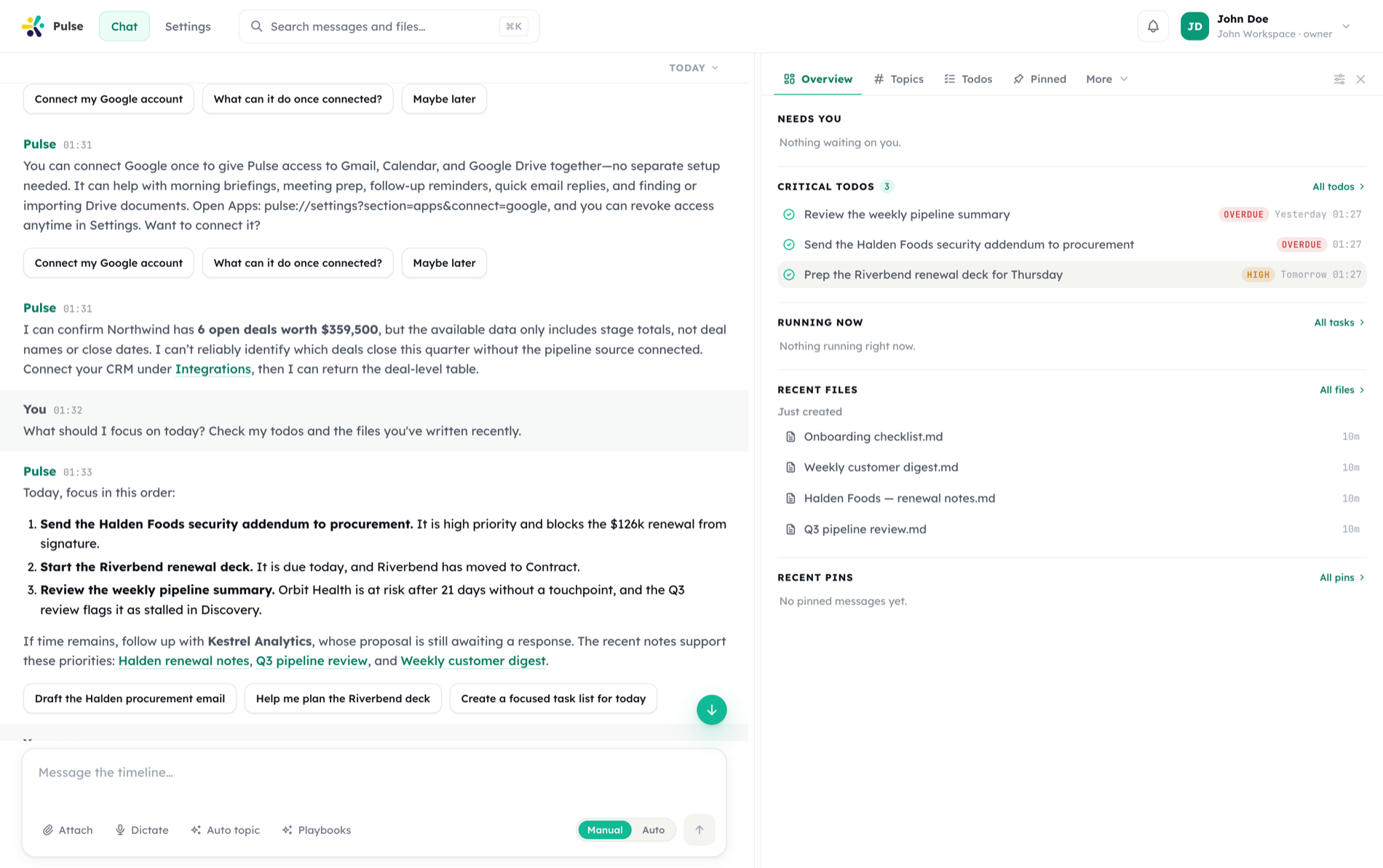
One thread, and everything is in it. Messages, approvals, task updates, generated files and reactions all flow into the same continuous timeline — the one the assistant reasons over, and the one you scroll back through.
No hidden side-channels
If something happened, it is in the thread. There is no second inbox to check for results or requests.
Topics, not new chats
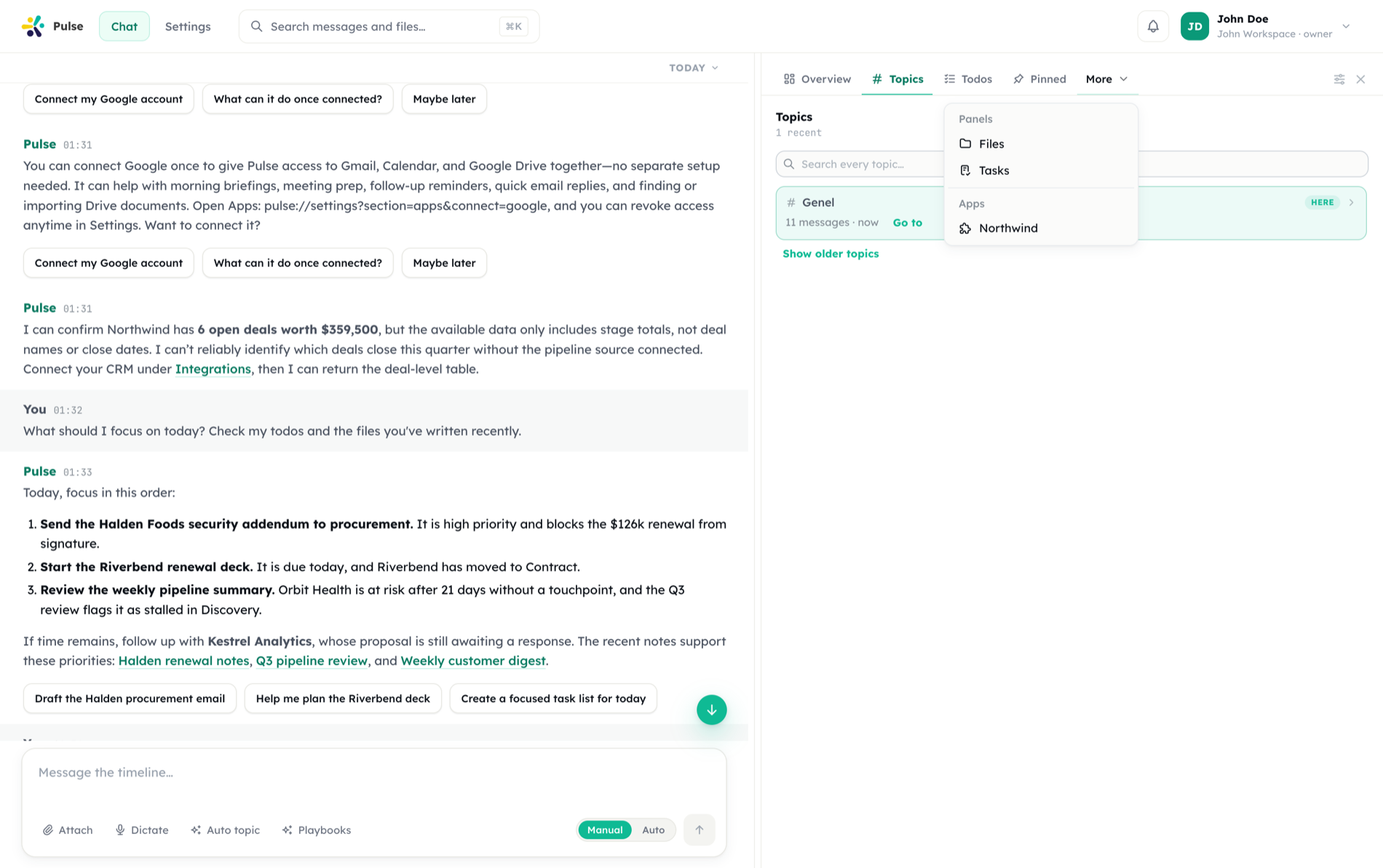
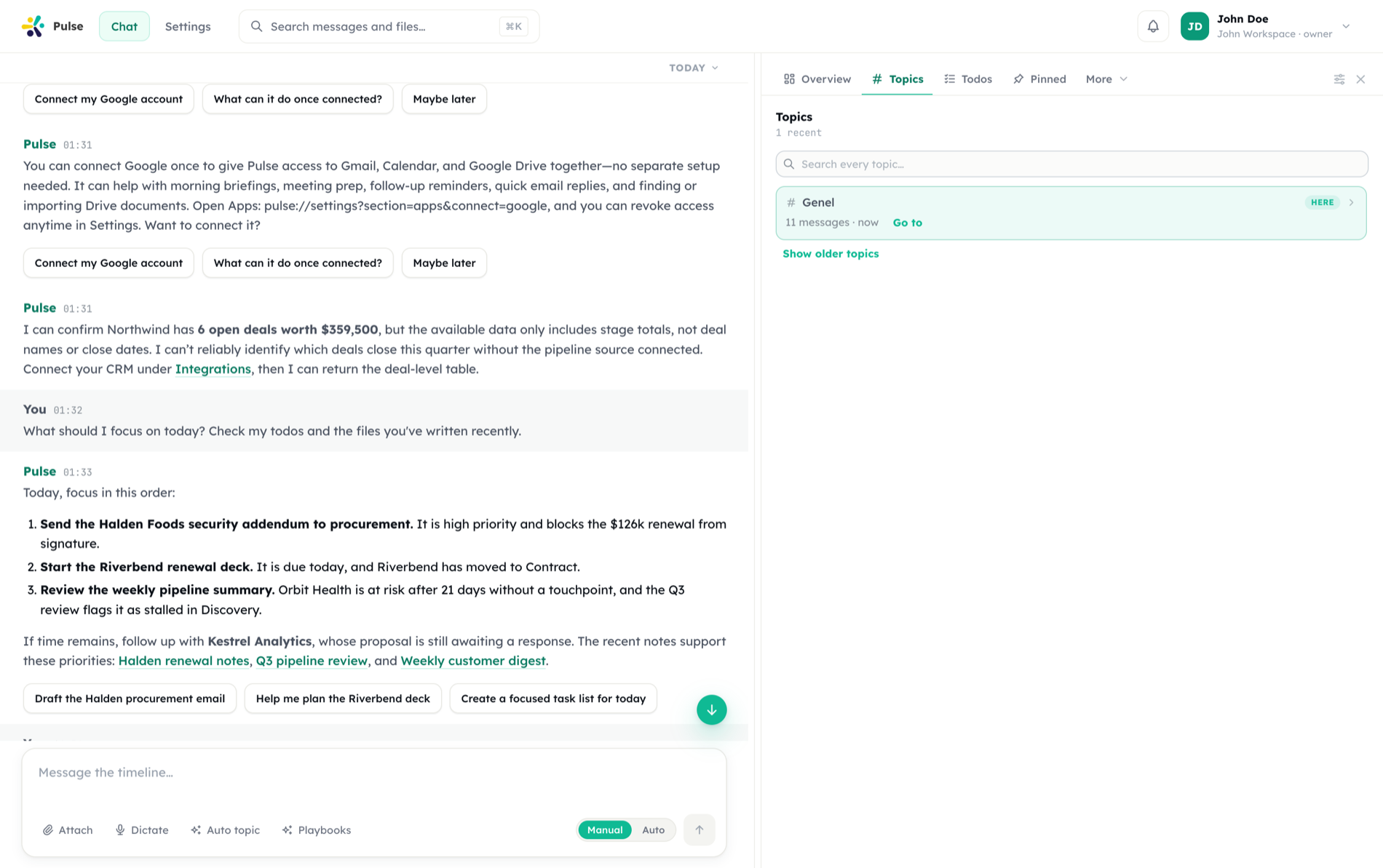
Separate strands of work get their own heading inside the one timeline, so context is filed without being fragmented.
Panels answer “what now?”
The panel beside the thread surfaces what needs you, what is running, and what was just produced.
Pulse is built around a single persistent chat timeline per user. Unlike tools that isolate each conversation into separate sessions, every event — messages, approvals, task updates, reactions — flows into one continuous thread that the agent reasons over.
The panel beside the thread
The thread answers "what was said". The panel next to it answers "what needs me, and what came out of this" — Overview, Topics, Todos, Pinned, Files, Tasks, and any panel an app contributes.
One thread, responsive work
The timeline supports both direct conversation and background work.
The Main Agent interprets intent. It reads incoming events, decides what the user actually wants, responds directly when a request is quick, and delegates anything heavy or long-running. It is the conversational surface you interact with.
Background work handles heavier tasks such as research, multi-step automation, and document generation without blocking the conversation. Progress and results post back into the timeline as they happen.
This split keeps the chat responsive. You can keep talking while work proceeds, and completed work appears inline rather than in a separate view.
How events flow
Every interaction is an event appended to the timeline:
| Event type | Origin | Effect |
|---|---|---|
| Message | User or agent | Adds turn to the thread |
| Task update | Background work | Posts status, progress, or result |
| Approval request | Pulse | Pauses a sensitive action pending a decision |
| Connect card | Pulse | Asks you to connect or reconnect an app account the current work needs |
| Reaction | User | Lightweight signal on a prior event |
Because all of these share one timeline, Pulse keeps the full picture visible: what was asked, what is running, what is waiting on you, and what finished.
State and summarization
The visible thread is the record of what happened. As the timeline grows, older spans are summarized so Pulse retains intent and decisions without requiring you to restart the conversation. Relevant memory facts are folded into this working context, so durable knowledge survives even after older messages move out of immediate view.
INFO
The timeline is the source of truth for what you see. Summaries help Pulse keep long-running context usable without making the thread difficult to navigate.
Why a single timeline
A persistent timeline means continuity. The agent does not forget which project you are on between sessions, scheduled tasks report into the same place you started them, and approvals arrive in context next to the action that triggered them. There is one place to look, and one thread of reasoning behind it.
You can pin the messages that matter — decisions, specs, attached files — so they stay one glance away as the thread grows.
The workspace panel
Next to the chat sits a workspace panel: Overview, Topics, Todos, Pinned, Files, Tasks, plus any panel an installed app contributes. What fits the row stays visible; the rest waits under More.
Overview is the landing tab — a glanceable answer to "what needs me right now?":
| Section | Shows |
|---|---|
| Needs you | Pending approvals and questions, oldest first, answerable in place |
| Critical todos | Overdue and high-priority items, with one-tap mark done |
| Running now | Active task runs (and live meetings) with status and a cancel control |
| Recent files | What was just created and what is being worked on |
| Recent pins | Your latest pinned messages |
When nothing is waiting, it says so — all caught up — instead of demanding attention.
The panel set itself is customizable: you can show, hide, and reorder panels, installed apps can contribute panels of their own, and your organization can set a default arrangement or lock it.
Search everything
Press ⌘K (Ctrl+K) anywhere to open search, then narrow it with the All · Chat · Topics · Files filters:
- Chat — hybrid semantic + keyword search over the timeline. Results are ranked and tagged (Best match, Text match, Related), and each one expands to show the surrounding conversation, so you recover context, not just a matching line.
- Topics — jump straight to a named strand of work.
- Files — search the workspace file system by name, path and contents.
Because everything lives in one timeline, search is the recall mechanism: the decision from three weeks ago is one ⌘K away.