

Chat UI
Cognipeer Chat UI
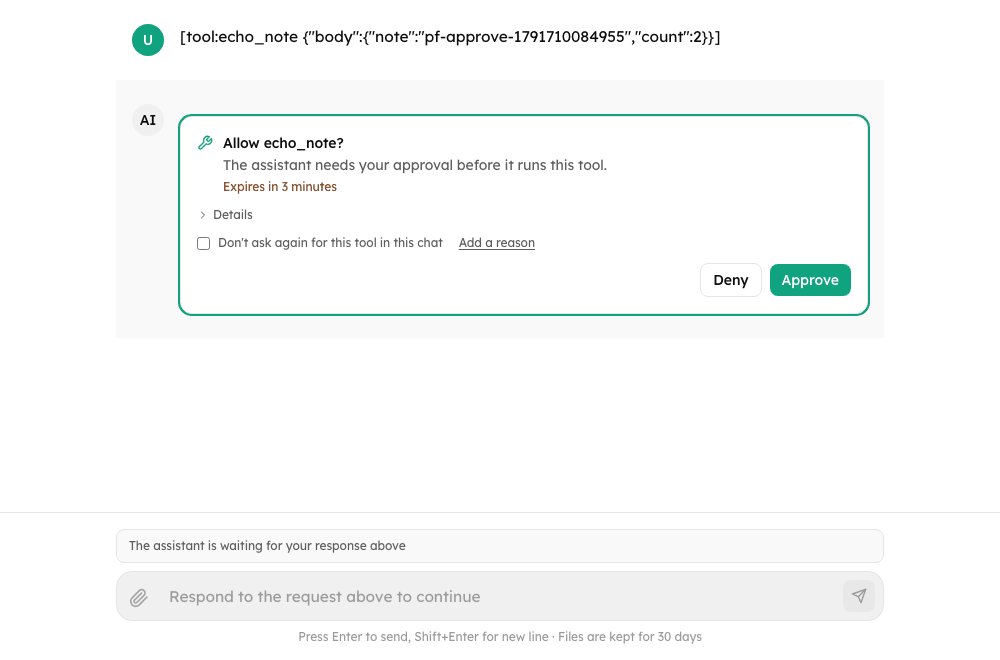
Ship polished chat surfaces for AI agents. A production-ready React chat UI with streaming, tool-call rendering, approvals and questions, runs that outlive the page, usage limits, uploads, history, an opt-in workplace experience and an embeddable mode — without stitching one together from low-level primitives.
- Package
@cognipeer/chat-ui - Version 0.4.0
- Framework React 18+
- Surfaces Full workspace chat ·
ChatMinimal·EmbedChat· composable hooks - Backends
@cognipeer/agent-server· agent-sdk · Chat Completions · Responses · A2A
Use the full Chat surface for a sidebar-based, multi-session workspace, drop in ChatMinimal for a single-thread widget, run EmbedChat inside an iframe on someone else's page, or compose lower-level hooks when your product needs more control than any surface gives out of the box.
npm install @cognipeer/chat-uiyarn add @cognipeer/chat-uipnpm add @cognipeer/chat-uiimport { Chat } from "@cognipeer/chat-ui";
import "@cognipeer/chat-ui/styles.css";
function App() {
return (
<div className="h-screen">
<Chat
baseUrl="http://localhost:3000/api/agents"
agentId="my-agent"
theme="dark"
/>
</div>
);
}
Getting started
Install the package and get a working chat surface on screen quickly.
What's new in 0.4.0
Approvals, reattach, usage limits, uploads, the portal experience, embedding, i18n and accessibility.
Approvals and questions
Let people approve tool calls, edit arguments and answer the agent's questions.
Runs, Stop and reattach
Reloads, dropped connections, a Stop that cancels on the server, and why an answer ended.
Portal experience
Copy, regenerate, feedback, history tools, terms, export and alerts — each opt-in.
Embedding the chat
An iframe with a host-signed token, strict origin checks, events and host-page tools.
Theming
Dark and light surfaces, accent and status colors, and overrides through tokens and props.
Components
Chat, ChatMinimal, EmbedChat, and every building block in between.
API reference
Hooks, the agent client, server routes, error codes, limits and every exported type.
Examples
Basic usage, a portal setup, a custom approval layout, an embedded host page and more.
What it handles for you
Streaming that feels product-ready
Render partial assistant output, tool-call steps, and follow-up UI without assembling a chat surface from scratch.
Agents that pause
Approval and question cards with deadlines, remembered choices and argument editing checked against the tool's JSON Schema.
Runs that outlive the page
Reload mid-turn and the chat picks the turn up again; Stop really stops the run; a notice says why an answer ended.
Usage you can see and limit
A meter and a "limit reached" notice for conversations with a spend limit, with raise-and-continue where you allow it.
Uploads done properly
Pick, drag and drop or paste; thumbnails, progress, retry and per-conversation limits read from the agent; unsafe URLs never drawn.
History, sessions, and workspace chat
From a minimal single-thread chat to a sidebar with status badges, keyboard navigation, rename, pin and bulk delete.
A workplace assistant, opt-in
Feedback with reasons, regenerate and edit, starters and a welcome, an AI label with legal links, announcements, a terms gate, export and background alerts.
Embeddable and multilingual
An iframe mode with strict origin checks and host-page tools; English and Turkish built in, any language with your strings; accessible by design.
Where to go next
- Getting started — install and render your first chat surface.
- Migrating to 0.4.0 — what changed since 0.3.x and what to check.
- Architecture — how components, hooks, and the agent client fit together.
- Streaming — partial output, tool-call activity, and follow-up UI.
- Agent Server integration — wiring the UI to a running
@cognipeer/agent-serverinstance. - Accessibility — keyboard, screen readers and focus.