

Embedding the Chat
EmbedChat is Chat for a page that is shown inside another page (an iframe) and signed in with an identity token the host page's server signs. It is how an intranet, an ERP or a SaaS product puts an assistant in its own page without a second login.
New in 0.4.0
EmbedChat, the postMessage protocol (cp:ready, cp:auth, cp:token_request, cp:event, cp:tool_call, ...), an in-memory bearer session that renews itself, events for the host page and tools of the host page that the agent can call. The server side (bearer authentication with resolveContext, CORS, rate limits, audit) is in Embedding & limits.
When to use it
Use it when the people who should chat are already signed in to another application and you do not want a second login screen: the host page's backend vouches for them with a short-lived signed token, the chat trades that token once for a session, and nothing else about the person travels through the browser. If the chat is the whole page (a standalone portal), use Chat with your normal authentication instead.
host page                                   iframe
https://app.example.com                     https://console.example.com/api-embed/portal/support?tenant=acme&origin=https%3A%2F%2Fapp.example.com

  server mints a short-lived signed token
                                            ◄─── { type: "cp:ready" } (and cp:token_request later)
  ───► { type: "cp:auth", token }
                                            POST /api/portal/support/embed/session { token }
                                            ◄── { sessionToken, expiresAt, user }
chat requests carry Authorization: Bearer cp_es_...Why a bearer token and not cookies
Browsers increasingly block or partition cookies for pages inside a frame of another site (Safari does by default). The exchange therefore never uses cookies: the iframe keeps the opaque session token in memory only and sends it as Authorization: Bearer. Every request is made with credentials: "omit". The host's token is never put in a URL.
Using it
import { EmbedChat, TermsGate } from "@cognipeer/chat-ui";
import "@cognipeer/chat-ui/styles.css";

// the page served at https://console.example.com/api-embed/portal/support?tenant=acme&origin=https%3A%2F%2Fapp.example.com
<EmbedChat
  baseUrl="/api/portal/support"                  // the portal's chat API (same origin as the iframe)
  allowedOrigins={["https://app.example.com"]}   // exactly what the portal admin configured
  clientTools={[{ name: "open_ticket", inputSchema: { type: "object", required: ["id"], properties: { id: { type: "number" } } }, timeoutSeconds: 30 }]}
  eventContent="none"                            // "text" also puts message text in the events
  showHistory={false}
  theme="dark"
  wrapChat={(chat, session) => <TermsGate ...>{chat}</TermsGate>}
/>All other Chat props (theme, locale, starters, feedback, ...) work as usual, except the ones EmbedChat owns (transport, authorization, headers, getHeaders, fetch, onClientToolCall, controllerRef, getMessageMetadata).
| Prop | Default | Effect |
|---|---|---|
baseUrl | required | The portal's chat API, for example /api/portal/support |
sessionUrl | <baseUrl>/embed/session | Where the host's token is exchanged |
allowedOrigins | required | Origins that may embed this page, exactly as configured for the portal. No wildcards |
hostOrigin | the origin query parameter of the page | The embedding page's origin as it declared itself |
clientTools | none | The host page's tools the agent may call (see below) |
eventContent | "none" | "none": events carry ids and sizes only. "text": messages also carry their text |
wrapChat | none | (chat, session) => node: draw something around the chat once the person is signed in (a terms gate, a banner). session has getHeaders(), fetch (with the bearer token and one retry after a renewal) and user |
authTimeoutMs | 10000 | How long to wait for the host's token before saying so on screen and sending auth:required |
readyIntervalMs | 500 | How often cp:ready is repeated until the host answers |
fetch, window | the global ones | For tests and special setups |
A Cognipeer Console portal serves this page at /api-embed/portal/{key}?tenant={slug}&origin={the host page's origin}: the tenant slug is required (the frame has no other way to know whose portal it is) and origin has to be one of the origins the portal's administrator allowed.
The messages
Every message is { type: "cp:...", v: 1, ... } posted with window.postMessage. Both sides ignore anything that is not exactly this shape and version.
| Direction | Type | Fields | Meaning |
|---|---|---|---|
| iframe → host | cp:ready | The chat loaded and wants a token. Repeated every 500 ms (up to 60 times, about 30 seconds) until the host answers with cp:auth | |
| iframe → host | cp:token_request | reason: expiring | expired | rejected | The chat needs a fresh token |
| iframe → host | cp:event | event, data | Something happened (see below) |
| iframe → host | cp:tool_call | callId, name, args | The agent calls a tool of the host page |
| host → iframe | cp:auth | token | A signed identity token (at most 8192 characters). Answers cp:ready and cp:token_request; sending one unasked is fine |
| host → iframe | cp:tool_result | callId, ok, output or error | The answer to cp:tool_call |
| host → iframe | cp:prefill | text (at most 8000 characters), send? | Put text in the composer; send: true sends it when the composer is open (or answering a lone question), and otherwise leaves the text in the composer |
| host → iframe | cp:context | context (object ≤ 8 KB, or null) | Unsigned UI context, sent as metadata.uiContext with uiContextUntrusted: true on every message. Never trust it for authorization |
| host → iframe | cp:logout | Forget the session and ask the server to revoke it (DELETE <sessionUrl> with the bearer token). The frame shows "You have been signed out" |
The constants are exported: EMBED_PROTOCOL_VERSION (1), EMBED_EVENTS, MAX_TOKEN_CHARS (8192), MAX_CONTEXT_BYTES (8 KB) and MAX_TOOL_OUTPUT_BYTES (64 KB), together with EmbedBridge, isAllowedOrigin, normalizeOrigin, parseHostMessage, exchangeToken, parseExchangeResponse and renewalLeadMs for hosts that build their own bridge.
Origin checks
- The iframe talks to
window.parentonly, with the declared host origin as the target (never*). - It starts only if that origin is exactly one of
allowedOrigins(no wildcards, no subdomain matching, scheme and port included), and the page is framed. Where the browser reportslocation.ancestorOrigins(Chromium, Safari), the embedding page must be the declared origin too. Otherwise it shows "This chat can't be shown here" and posts nothing. - It accepts a message only if
event.source === window.parentandevent.originis the declared origin. - The host side must do the same in the other direction: accept messages only from the iframe's
contentWindowand the console's origin.
Events
cp:event.event is one of the following. A widget script may add open and close.
event | When | data |
|---|---|---|
ready | The first session was established | { user } (name, email) or { user: null } |
auth:required | No token arrived within authTimeoutMs | { reason: "no_token" } |
auth:error | The exchange was refused, or the session ended | { code, status?, reference? }; code is the server's (identity_not_found, token_expired, ...) or network_error, invalid_response, auth_failed, session_expired |
conversation:started | A conversation was created | { conversationId } |
message:sent | The person sent a message | { conversationId, messageId, length, text? } |
message:completed | The assistant's answer arrived | { conversationId, messageId, length, text? } |
action:required | An approval or question started waiting, or a host tool was called | { conversationId, actionId, kind, tool? }; for a host tool { kind: "client_tool", actionId, tool } |
action:resolved | It was answered | { conversationId, actionId, kind, decision? }; for a host tool { kind: "client_tool", actionId, tool, ok, durationMs } |
limit:reached | A usage limit or quota stopped a request | { kind: "budget", conversationId } or { kind: <code> } with rate_limited, quota_exceeded, too_many_conversations, message_too_long or budget_reached |
error | Any other error | { code?, message } |
With eventContent="text" messages also carry text (up to 4000 characters). Examples:
{ "type": "cp:event", "v": 1, "event": "message:completed", "data": { "conversationId": "c1", "messageId": "m2", "length": 412 } }
{ "type": "cp:event", "v": 1, "event": "auth:error", "data": { "code": "identity_not_found", "status": 403, "reference": "ref-42" } }
{ "type": "cp:event", "v": 1, "event": "action:required", "data": { "conversationId": "c1", "actionId": "ap1", "kind": "tool_approval", "tool": "send_email" } }Keeping the session alive
The session lasts as long as the portal's session.ttlMinutes. A fifth of its life before it ends (between 5 and 60 seconds) the iframe posts cp:token_request { reason: "expiring" }; the host answers with cp:auth and the iframe exchanges it again without remounting the chat. If no answer comes, it asks again, more often as the end gets nearer (every second at the closest). A request for a token waits at most 15 seconds for the host's answer.
If the session ends anyway the chat shows "Session expired" with a Reconnect button, emits auth:error { code: "session_expired" }, posts reason: "expired", and recovers by itself when a token arrives.
A request is never sent with a token that has less than 5 seconds left: the chat asks for a new token first. A 401 from the chat API triggers one renewal (reason: "rejected") and one retry of the request, provided its body can be sent twice (a string, a Blob, a form or bytes).
What the frame shows
| Situation | Screen |
|---|---|
| Waiting for the host's first token | "Connecting..." and, after authTimeoutMs, "Waiting for the page to sign you in..." |
| Exchanging the token | "Signing you in..." |
| The origin is not allowed, the page is not framed or the ancestor does not match | "This chat can't be shown here" with the reason, and nothing is posted |
| The exchange failed | "Sign-in failed" with a message for identity_not_found, network_error or rate_limited (a generic one otherwise), the server's reference code, and Try again |
| The session ended | "Session expired" and Reconnect |
After cp:logout | "You have been signed out" |
All of these strings are in the chat.embed.* group and can be replaced with customMessages.
Tools of the host page
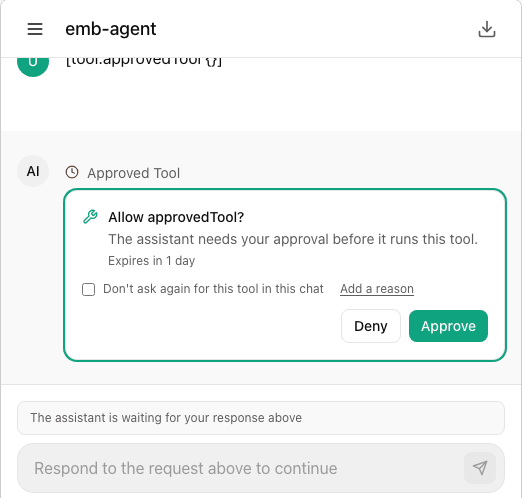
An administrator declares the tools the agent may call on the host page (clientTools). When the agent calls one, the turn pauses as a client_tool action. The iframe draws no card (and the composer is not closed): it validates the arguments against the declared schema and posts cp:tool_call. The host replies with cp:tool_result; the iframe answers the action with { type: "client_tool", output } (JSON, at most 64 KB) and the turn continues.
These all end as an error result for the agent ({ type: "client_tool", error, output: { error } }) instead of hanging the turn:
- a tool that is not declared (
The tool "x" is not available on this page); - arguments that do not fit the declared
inputSchema(the offending paths are listed); - a host that does not answer within
timeoutSeconds(default 60, at most 600); - an answer that is not JSON, or larger than 64 KB;
- the chat closing while the call is open.
A minimal host
<iframe id="cp" src="https://console.example.com/api-embed/portal/support?tenant=acme&origin=https%3A%2F%2Fapp.example.com" allow="clipboard-write"></iframe>
<script>
  const CONSOLE = "https://console.example.com";
  const frame = document.getElementById("cp");
  async function getToken() { return (await fetch("/api/cognipeer-token", { credentials: "include" })).text(); } // your server signs it
  const tools = { open_ticket: async ({ id }) => { location.hash = `#/tickets/${id}`; return { opened: id }; } };

  window.addEventListener("message", async (event) => {
    if (event.origin !== CONSOLE || event.source !== frame.contentWindow) return;
    const m = event.data;
    if (!m || m.v !== 1) return;
    const reply = (msg) => frame.contentWindow.postMessage({ v: 1, ...msg }, CONSOLE);
    if (m.type === "cp:ready" || m.type === "cp:token_request") reply({ type: "cp:auth", token: await getToken() });
    if (m.type === "cp:tool_call") {
      try { reply({ type: "cp:tool_result", callId: m.callId, ok: true, output: await tools[m.name](m.args) }); }
      catch (e) { reply({ type: "cp:tool_result", callId: m.callId, ok: false, error: String(e.message || e) }); }
    }
    if (m.type === "cp:event") console.log(m.event, m.data);
  });
</script>The portal's script (CognipeerPortal.mount) does all of this, and adds a floating bubble, an inline mode and open() / close() / prefill() / logout(); see the portal's own embedding guide for minting the token on your server.
The session endpoints Chat UI expects
| Request | Answer |
|---|---|
POST <sessionUrl> { token } (no cookies) | 200 { sessionToken, expiresAt, user?: { name, email } }; expiresAt as an ISO date or epoch seconds / milliseconds. A refusal is 4xx { error: { code, message, reference } }; the code and reference are shown to the person |
DELETE <sessionUrl> with Authorization: Bearer | Revokes the session (best effort; failure is ignored) |
Any chat API request with Authorization: Bearer <sessionToken> | As for a signed-in person; 401 asks for a renewal |
Safety notes
- The host's token goes from
postMessageto onePOST; it is never stored and never in a URL. - A malicious page that frames the chat cannot read the session: the iframe refuses to talk unless its declared origin is allowed and is the embedding page, and the server must send
frame-ancestorsfor the allowed origins only. - The arguments of
cp:tool_callwere written by the model. Treat them like any untrusted input in your tool handlers (check types and ranges, never build code or queries from them), and let a tool that changes things ask the person first (the portal can mark a tool as needing approval). cp:contextis the host page's claim about itself; the signed claim in the token (ctx) is the one the server can trust.eventContent="text"puts message text intopostMessageevents: leave it at"none"unless the host page needs the text.
Troubleshooting
| Symptom | Cause and fix |
|---|---|
| "This chat can't be shown here" | The origin query parameter is missing or not in allowedOrigins, the page is opened at the top level (not framed), or the browser reports a different embedding page than the one declared. Origins must match exactly, scheme and port included. |
| "Waiting for the page to sign you in..." | The host never answered cp:ready. Check that the host listens for messages from the iframe's contentWindow and the console's origin, and replies with { v: 1, type: "cp:auth", token } to that origin. |
| "Sign-in failed" with a reference | The server refused the token (unknown person, bad signature, expired or replayed token). Quote the reference to the administrator; the code is in the auth:error event. |
| A host tool never runs | The tool is not in clientTools, or the arguments do not fit its schema: the agent gets the error text. Check the action:required / action:resolved events for ok: false. |
| Copy is not working | Give the iframe allow="clipboard-write". Without it the chat falls back to the older copy command from a click, which some browsers also block; the button then reports that copying failed. |