

Internationalization
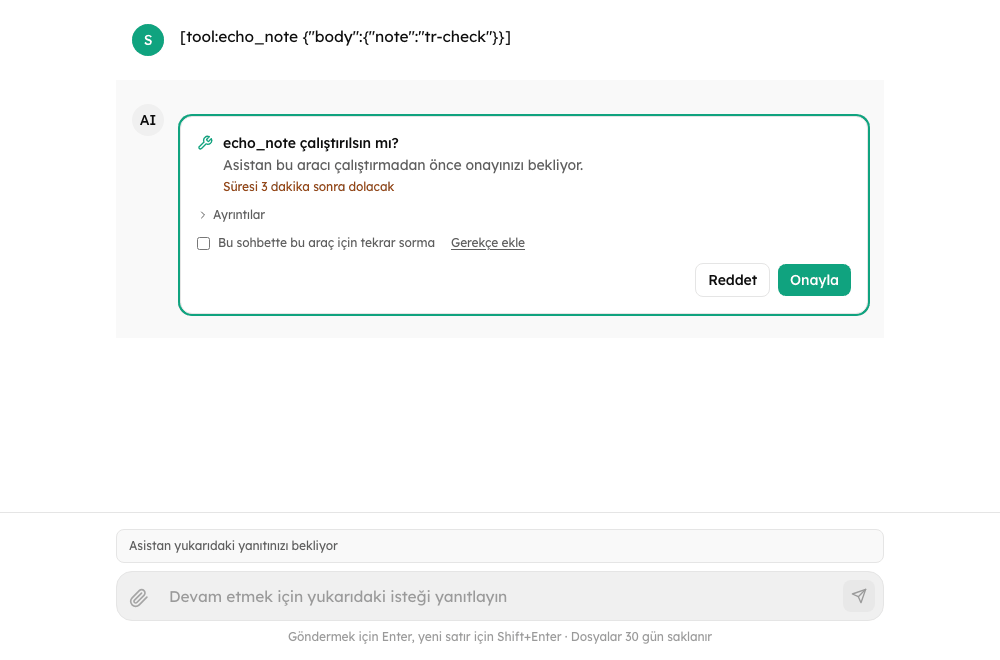
Chat UI ships English (en) and Turkish (tr). You can replace any string, and add other languages by supplying their strings.
New in 0.4.0
Any locale code works with customMessages (missing keys fall back to English, key by key), Chat works with or without a ChatI18nProvider, nested providers inherit, and server error codes become localized messages.
Which language is used
In order:
- the
localeprop ofChat(or of aChatI18nProvider); - the locale of an enclosing
ChatI18nProvider; - the
?lang=query parameter of the page (en,tr, or a code you supplied strings for incustomMessages; any other value is ignored); defaultLocale(defaulten).
// Uses ?lang=tr when the page has it, English otherwise
<Chat baseUrl="/api/agents" agentId="assistant" />

// Fixed
<Chat baseUrl="/api/agents" agentId="assistant" locale="tr" />

// Controlled by your app
<Chat baseUrl="/api/agents" agentId="assistant" locale={locale} onLocaleChange={setLocale} />A locale chosen through useI18n().setLocale (or the provider's onLocaleChange) is also written to the page's URL as ?lang= with history.replaceState. A Chat or provider with a fixed locale prop ignores setLocale and logs a warning.
Replace strings
Chat takes customMessages, keyed by locale code and message key (the keys are in src/locales/en.json):
<Chat
  baseUrl="/api/agents"
  agentId="assistant"
  customMessages={{
    en: { "chat.input.placeholder": "Ask the support assistant..." },
    tr: { "chat.input.placeholder": "Destek asistanına sorun..." },
  }}
/>Around Chat
Chat honours a ChatI18nProvider around it. Its locale applies (unless Chat is given a locale), and its custom messages are merged under the ones given to Chat:
import { Chat, ChatI18nProvider } from "@cognipeer/chat-ui";

<ChatI18nProvider locale="tr" customMessages={{ tr: { "chat.input.placeholder": "Bir şey sorun..." } }}>
  <Chat baseUrl="/api/agents" agentId="assistant" />
  <OtherChatUiPieces />
</ChatI18nProvider>Use the provider when other parts of your page (a header built with useI18n, a custom message list) should speak the same language as Chat. Chat also works with no provider at all, and so do useChat and the components: outside a provider they answer in English.
Another language
Any locale code works once its strings are supplied. Keys you leave out fall back to English, key by key, so a partial translation is fine:
<Chat
  locale="de"
  customMessages={{
    de: {
      "chat.input.placeholder": "Nachricht eingeben...",
      "chat.input.send": "Senden",
    },
  }}
/>Number, date and relative-time formatting use the locale code (a code the browser does not know formats as English).
Strings are ICU MessageFormat (the library uses react-intl): placeholders look like {fileName} and plurals like {count, plural, one {# file} other {# files}}. Keep the placeholders of the English string in your translation, or the value is dropped.
Error messages
A failed request whose code the library knows is shown with a localized message instead of the server's English text: chat.error.code.<code> (the code in lower case). Example keys: chat.error.code.conversation_busy, chat.error.code.rate_limited, chat.error.code.action_expired, chat.error.code.file_too_large. A few strings contain {detail}, which is replaced with the server's own message (validation_error, guardrail_blocked, file_too_large, ...). Override them like any other string:
customMessages={{ en: { "chat.error.code.rate_limited": "Slow down a little, please." } }}The error object keeps its code, status and the server's details; the server's wording is on serverMessage. Codes of the run protocol have strings too: budget_reached, budget_forbidden, invalid_budget, nothing_to_continue, run_interrupted, conversation_conflict, lease_lost, identity_required. See Approvals and Questions.
Other groups of strings
| Prefix | Where |
|---|---|
chat.input.* | The composer: placeholders and notices for each state (followingNotice, budgetPlaceholder, readOnlyNotice), file chips (fileUploadingProgress, fileFailed, retryFile), the file counter and the retention hint |
chat.file.* | File refusals (tooLarge, tooManyInChat, invalidType), chip states (expired, noText, keptUntil) and downloads |
chat.stop.* | The notice under an answer that stopped early |
chat.warning.<code> | Notes about a turn that still completed (file_truncated, images_not_supported, ...) |
chat.budget.* | The usage limit meter and banner |
chat.history.* | The sidebar, including the status badges (status.running, status.waiting, status.budgetPaused), select mode, pin and rename |
chat.action.*, chat.question.* | Approval and question cards, including the JSON Schema messages (chat.action.schema.*) |
chat.feedback.*, chat.actions.*, chat.edit.* | The message toolbar, the feedback form and the editor |
chat.terms.*, chat.legal.*, chat.aiLabel.*, chat.announcement.*, chat.starters.* | The terms gate, legal links, AI label, announcements and starters |
chat.export.*, chat.notifications.* | The export menu and background alerts |
chat.embed.* | The screens of an embedded chat: connecting, signing in, session expired, refused, sign-in failed |
chat.error.code.<code> | One message per known server error code. The list is in Error codes |
In your own components
import { useI18n } from "@cognipeer/chat-ui";

function Greeting() {
  const { t, has, locale, setLocale } = useI18n();
  return (
    <button onClick={() => setLocale(locale === "en" ? "tr" : "en")}>
      {has("chat.empty.subtitle") ? t("chat.empty.subtitle") : "Hello"}
    </button>
  );
}Check what is translated
useI18n().has(key) is true when a key has a string (in the current locale or in the English fallback). Use it to check a key before you override it: a misspelled key in customMessages is simply added to the table and nothing reads it, so the original string stays on screen.