

Model Hub
The Model Hub is the operational console for every inference endpoint your tenant exposes — chat, embedding, rerank, speech-to-text, text-to-speech, OCR, image generation, and moderation models — across all configured providers. It is the only place where you wire a provider credential to a logical model name, set pricing, configure guardrails, and watch live usage.
Each model you publish here becomes addressable through the OpenAI-compatible runtime described in Model Inference. The model field clients send in /v1/chat/completions is matched against the key column you see in this UI.
Overview
The landing page summarises everything deployed in the active project: total endpoints split by category (LLM / Embedding / Multimodal), provider count, recent usage analytics, and per-model status badges.
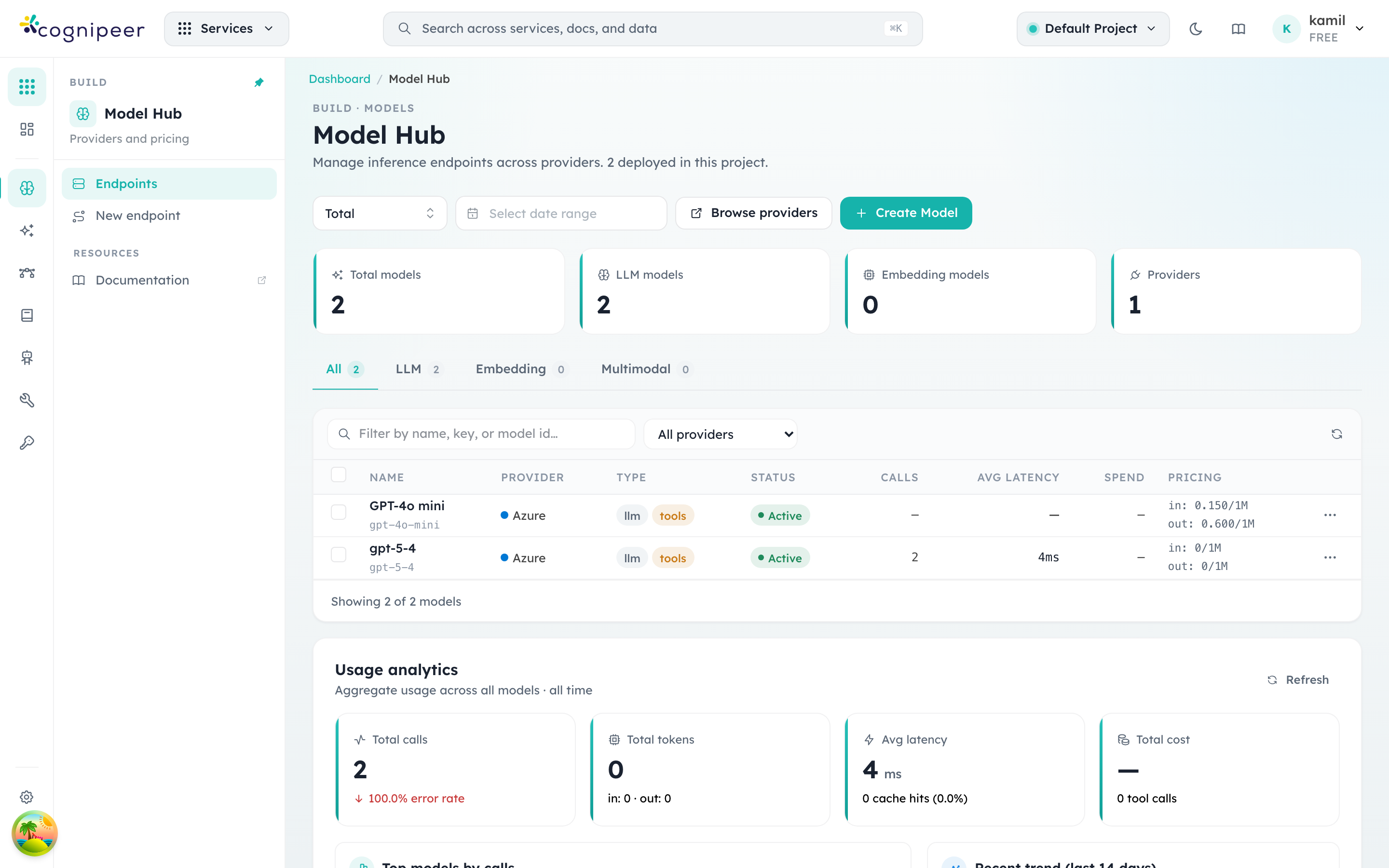
What to look for on this screen:
- Total models / LLM / Embedding / Multimodal counters reflect the active project only. Switch projects from the header pill (top right) to see another scope.
- The status badge in the table is a hardcoded "Active" indicator — models do not carry a status field. When a request names a model key the runtime can't resolve, it throws and the call surfaces as an HTTP 500 from
/v1/chat/completions. - Calls, Avg latency, Spend, Pricing are sourced from the rolling tracing window. The default is "Total" but the date-range picker above the table narrows the report.
- Browse providers jumps to the provider list (described below). Create Model opens the deployment dialog described in Deploy a model.
Providers
Before you can deploy a model you need at least one provider configuration. Providers carry the credentials (API keys, endpoints, regions) and are scoped to either the tenant or a single project.
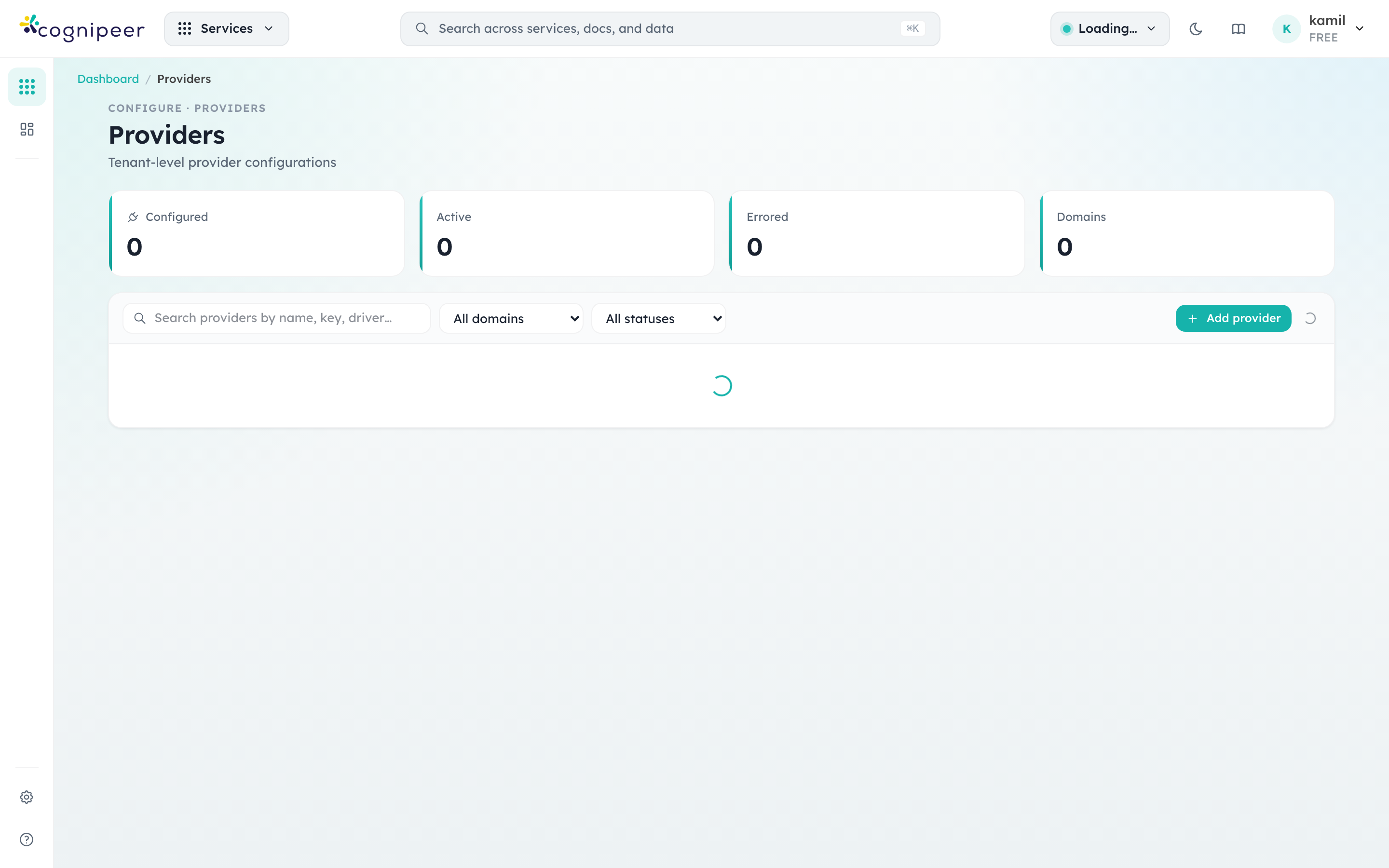
Provider rows show:
- Type —
Modelfor inference providers,Filefor object storage,Vectorfor vector stores,Datasourcefor ingestion connectors. The Model Hub only consumesModelproviders; the others power adjacent features but appear in the same list for convenience. - Driver — the contract implementation that backs the configuration (e.g.
openai-compatible,local-filesystem). Multiple configurations can share a driver (typical when the same OpenAI-compatible endpoint is split across departments with different keys). - Status —
activemeans the runtime accepts requests for any model attached to this provider.erroredprovider configurations cause all linked models to fail pre-flight.
Use Add provider to register a new credential set. The form fields are driven by the provider contract (see Providers for the contract structure), so each driver shows its own credential schema.
Deploy a model
Clicking Create Model on the Model Hub opens a multi-step deployment dialog. Everything required to make a model addressable through the runtime is on a single screen, with a live pre-flight panel on the right.
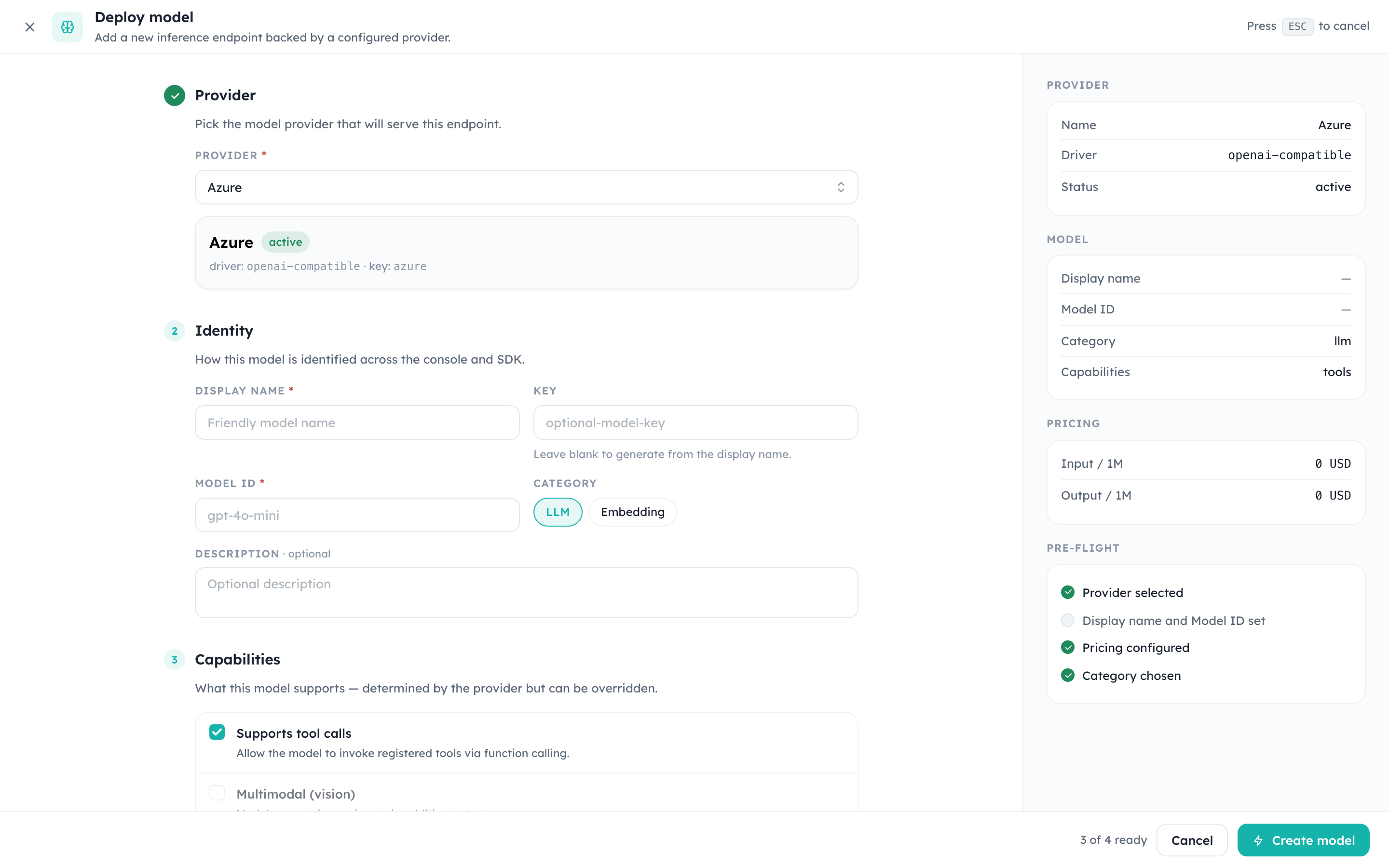
Fields, top to bottom:
- Provider — choose any active provider whose driver supports the model domain. The summary panel on the right reflects driver, key, and status as soon as you pick one.
- Identity
- Display name (required) — what shows up in the table and in tracing.
- Key (optional) — the value clients pass in the
modelfield of API requests. If you leave it blank, the system derives one from the display name. - Model ID (required) — the provider-side identifier (e.g.
gpt-4o-mini,claude-sonnet-4-6). This is what the runtime forwards upstream after auth and quota checks. - Category —
LLM,Embedding,Rerank,STT,TTS,OCR,Image, orModeration. Picking a non-LLMcategory hides the chat-only fields below and shows the fields that category needs instead (e.g. Image shows no context-window field; Moderation shows the detector settings described in Moderation detectors).
- Capabilities — context window, maximum output tokens, input/output modalities, reasoning, structured output, and tool-call support. These values form the model's explicit capability profile and are published by the OpenAI-compatible discovery endpoint; clients do not need to infer features from the alias name. Reasoning, structured-output, and tool-call support default on — the provider's own driver still caps what's actually possible, but a manual choice within that range persists instead of being silently reset. Turn one off from Edit if a specific deployment doesn't actually support it.
- Pricing & limits — pricing is captured per 1M tokens with separate input/output/cached buckets. Spend reports in the overview and in tracing both read from these numbers, so keep them in sync with the upstream contract.
The right column gives a pre-flight checklist that flips from grey to green as each requirement is met. The Create model button only enables when all checks pass.
Inspecting a model
Clicking a row from the overview opens the model's detail screen. This is the surface engineers use most often when something looks off in production: it combines the operational view (latency, error rate, recent calls) with everything required to reproduce a request.
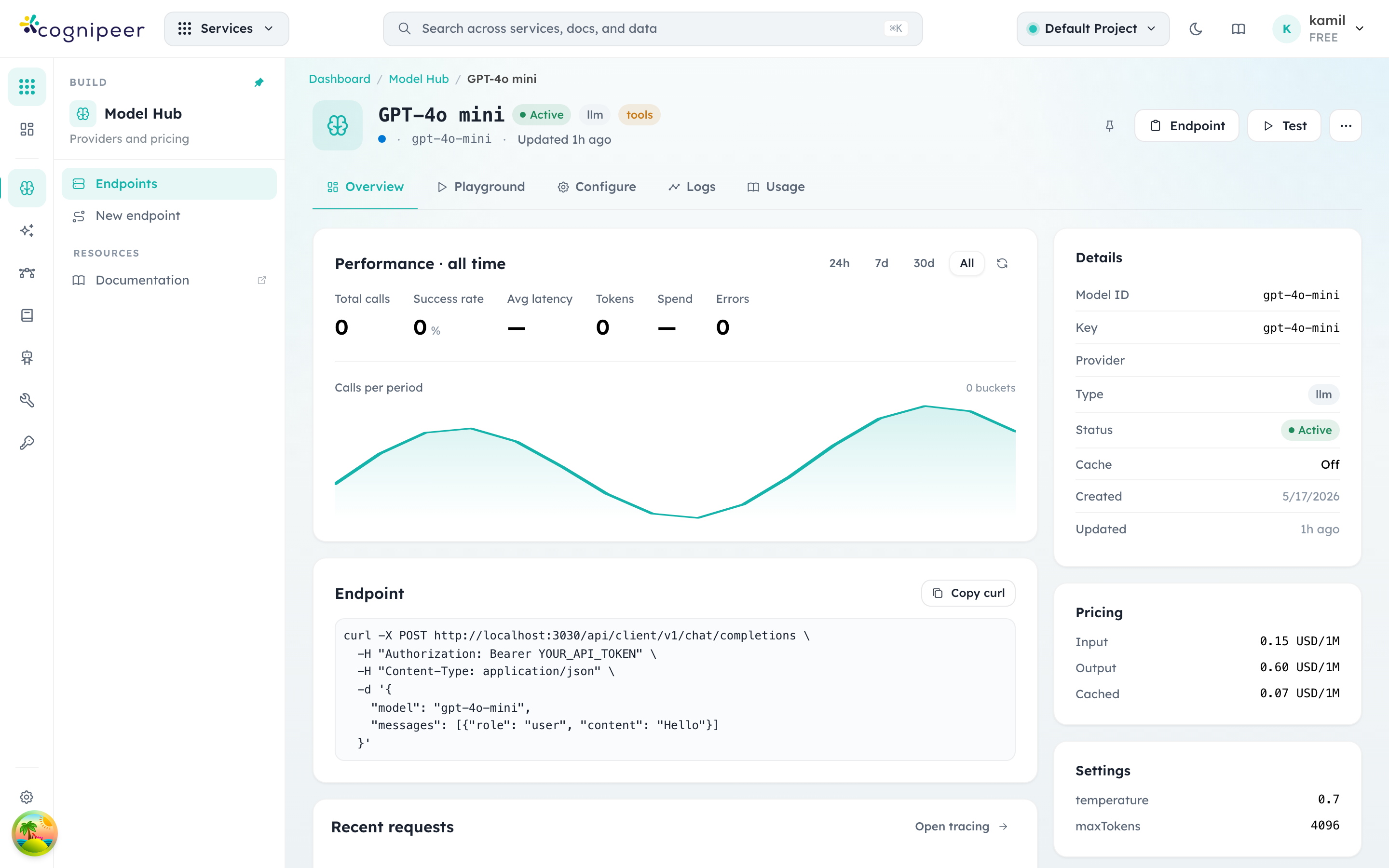
The page is organised in tabs:
- Overview (shown above) — performance over the chosen window, a ready-to-paste
curlagainst the local runtime, recent requests, and the static metadata panel on the right (pricing, settings, status, timestamps). - Playground — a chat sandbox bound to this model. The system prompt and runtime settings come from the model definition, so the playground exactly mirrors what production traffic experiences.
- Configure — read-only access to the underlying definition with edit-in-place affordances for the fields that don't require a redeploy (description, key, status, pricing).
- Logs — request-level entries with prompts, completions, token usage, and tool calls. Streams from the same store as Agent Tracing. Each entry is
success,error, orcancelled. Cancelled is a streamed call whose client disconnected before the answer finished — a user pressing stop, a closed tab, a request timing out on the caller's side. It is deliberately neither of the other two: it does not count towards the error rate, because nothing failed on our side or the provider's, and it does not count as a success, because the answer was never delivered. The output tokens generated up to that point are still recorded and billed — the provider charges for them — but when the provider never reported a count (it rides on the terminal chunk the client did not wait for) the figure is estimated from the streamed text and the log entry is markedoutput_tokens_estimated. - Usage — aggregated cost and call counts grouped by token, API token, and time bucket.
The Endpoint panel exposes the canonical curl snippet:
curl -X POST http://localhost:3000/api/client/v1/chat/completions \
  -H "Authorization: Bearer YOUR_API_TOKEN" \
  -H "Content-Type: application/json" \
  -d '{
    "model": "gpt-4o-mini",
    "messages": [{"role":"user","content":"Hello"}]
}'YOUR_API_TOKEN comes from the API Tokens screen. Tokens are tenant-scoped and inherit the requesting member's project permissions.
Editing a model
Use the … menu on a row or Configure → Edit inside the detail page to reach the edit screen. The fields mirror the create dialog but apply changes in-place — no need to delete and recreate.
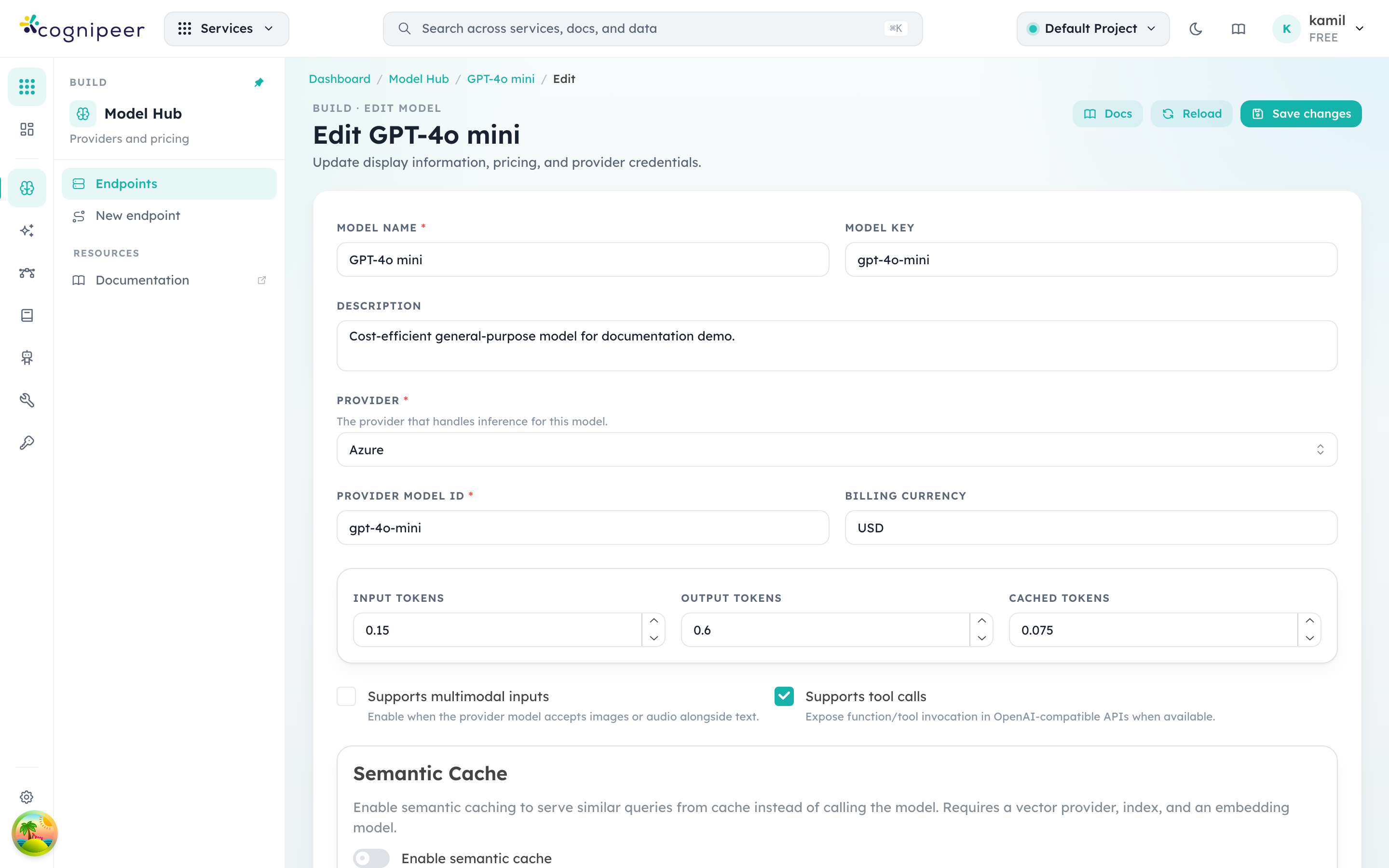
Common edits:
- Pricing — when the upstream provider updates rates, edit here so spend reports stay accurate.
- Status — flip to
inactiveto immediately stop accepting traffic for a model without removing the definition (useful during incident response). - Settings — adjust
temperature,maxTokens, and provider-specific runtime defaults. These apply when clients don't override them in the request body. - Guardrails — the Configure tab's Guardrails card shows which policies run on every request to this model and lets you attach or change them. See Attach a guardrail to a model for the step-by-step flow.
Changes apply on save. There is no separate publish step.
Public alias and canonical model ID
Keep these identities separate:
- Key is the stable public alias returned as
data[].idbyGET /api/client/v1/models. Renaming it is an API contract change for clients. - Model ID is the canonical provider-facing identifier. Console sends it upstream and publishes it as
cognipeer.canonical_model_idfor metadata correlation.
Multiple public aliases may intentionally point to the same provider model with different settings, pricing, guardrails, or routing behavior. Discovery therefore never replaces the public key with the provider model ID.
Input types and vision
A chat model's Input types say what can be sent to it: Text, Images, Audio, Video and Files. They sit under Capabilities in the deploy dialog and on the model's edit screen, and they matter for one thing in particular: whether an image is shown to the model or replaced by a note. An agent's session files are only sent as pictures to a model that accepts images, and Studio warns in the composer when the agent's model is text-only.
How a model's types are decided:
- A choice you make wins. Tick or clear a box and the list is stored on the model as an explicit choice (a Set manually badge appears). That includes a deliberate text only: it always beats anything below. Detect automatically takes the choice back.
- Otherwise, the model id decides. A chat model whose Model ID belongs to a known vision family is taken to accept images; the form shows Detected from the model id. The families include GPT-4o, 4.1 and 5 and later, the o-series (except
o1-miniando3-mini), Claude 3 and later, Gemini, Llama 3.2 Vision and Llama 4, LLaVA, Qwen-VL and other open vision-language models, Pixtral, Grok vision, and Amazon Nova (Micro is text only). The match ignores a path (openai/gpt-4o) and a Bedrock region or vendor prefix (us.anthropic.claude-3-…). - Otherwise, the category decides. A chat model with neither is
text; a speech-to-text model isaudio; an OCR model isimageandfile.
The detection is a default, not a promise: a family a provider ships without vision, or a deployment name that hides the model, is fixed by setting the model's Input types — not by editing code.
The model list shows a vision badge on every model that takes images, and the Multimodal filter counts them. The same resolved list is published as capabilities.inputModalities by the model discovery endpoint (GET /api/client/v1/models), and you can set it over the API when you create or update a model:
{ "capabilities": { "inputModalities": ["text", "image"] } }A "text only" that nobody chose
Models saved by older forms carry a plain ["text"] that was written on every save and was never a choice. Console reads that as "nothing stored" and falls back to the id-based detection, so such a model that reads images is shown as taking images. If you really do want a model to be text only, choose it again on the model's page — a choice made now is flagged and always wins.
How requests resolve
When a client calls /api/client/v1/chat/completions with model: "gpt-4o-mini", the runtime resolves the call in this order:
- Authenticate the API token and resolve the tenant + project.
- Look up the key
gpt-4o-miniin the active project's Model Hub. - If the key cannot be resolved to a model definition, the runtime throws and the request returns HTTP 500.
- Pull the linked provider configuration, decrypt credentials, and instantiate the provider runtime (see Providers).
- Apply input guardrails, forward the request using the model's
modelId, then apply output guardrails before responding. - Persist tracing and usage records, including the pricing snapshot from the model definition.
Every step is observable through Agent Tracing. If a request fails, the trace points to the exact step that rejected it.
Image generation
Deploy a model in the Image category (e.g. Azure gpt-image-2, OpenAI dall-e-3) the same way as an LLM: pick a provider, set the Model ID, set per-image pricing. Once deployed:
- The Playground tab on the model's detail page becomes an image playground — enter a prompt, pick size/quality, and generate. Left-nav Playground → Image offers the same sandbox across every deployed image model.
POST /api/client/v1/images/generationsspeaks OpenAI's image schema. See Images API for the full request/response reference.- Image models bill per image, not per token — the quota guard checks request count up front and settles the budget from the actual image count the upstream returned.
Moderation detectors
A model in the Moderation category backs the model detector on a moderation guardrail policy (see Guardrails) with a real classifier instead of an LLM judge. Two ways to get category scores:
- LLM detector (default, no extra deployment needed) — any chat model judges the input and returns coarse severity, converted to a fixed 0.3/0.6/0.9 score scale.
- Model detector — deploy a purpose-built moderation model here (an
omni-moderation-latest-shaped endpoint), then select it as the guardrail's detector for real per-category scores at a fraction of the cost of an LLM call.
The choice is made per-guardrail on the guardrail's policy settings, not per-request — see Moderations API for the response shape either detector produces.
Replica pools
A model normally maps to one provider + model ID. Replicas let one model key fan out across several interchangeable deployments of the same model — the same weights, same price, same capability profile — so a request lands on whichever copy is healthy, instead of your only deployment becoming a single point of failure.
Open the Replicas tab on an LLM model's detail page to add replicas: each one names a provider, a model ID (the deployment name at that provider — this can differ per replica, e.g. two different Azure deployment names for the same underlying model), an optional weight (relative share of traffic; defaults to 1), and can be individually enabled/disabled without deleting it.
How routing behaves:
- With no replicas configured, a model works exactly as before — a pool of one.
- With replicas configured, each request draws a weighted-random order across the pool. Healthy replicas are tried first; a replica whose circuit breaker is currently open (cooling down from recent failures) is pushed to the back of the order rather than dropped, so the pool still attempts a call instead of failing outright on stale state.
- A failure that looks capacity- or availability-related (429, 5xx, timeout, connection error) moves on to the next replica in the order. A failure that is the caller's own mistake (400, 401) does not — retrying it on another replica would just fail identically while burning another provider credential's rate limit.
- Because a pool must stay invisible to callers, replica selection is never a routing decision the way Dynamic LLM routing is — it's recorded as a detail of the call (which replica actually served it), not as a separate model or a separate price. One usage row, one cache key, one capability profile, regardless of which replica answered.
Replica pools and Dynamic LLM compose: a Dynamic LLM rule picks which model to call for a given request, and if that model has replicas configured, the pool then picks which deployment of it actually serves the call.
Where to go next
- Model Inference — the request/response shape for chat and embedding endpoints.
- Images API — the image-generation request/response reference.
- Providers — provider contract structure and how to add new drivers.
- Guardrails — input/output filters you can attach per model.
- Agent Tracing — query and inspect the per-request records the runtime writes for every Model Hub call.