

PII Service
The PII service detects, redacts, masks, reversibly tokenizes, and (optionally) blocks personally identifiable information across 11 languages. Unlike the rest of the platform, it is license-free — every endpoint under /api/pii/* is available on every plan and is never gated by a license feature flag.
Operators manage policies under Operate → PII. Agents and external clients consume it either through stored policies or through ad-hoc detect/redact/mask/tokenize calls.
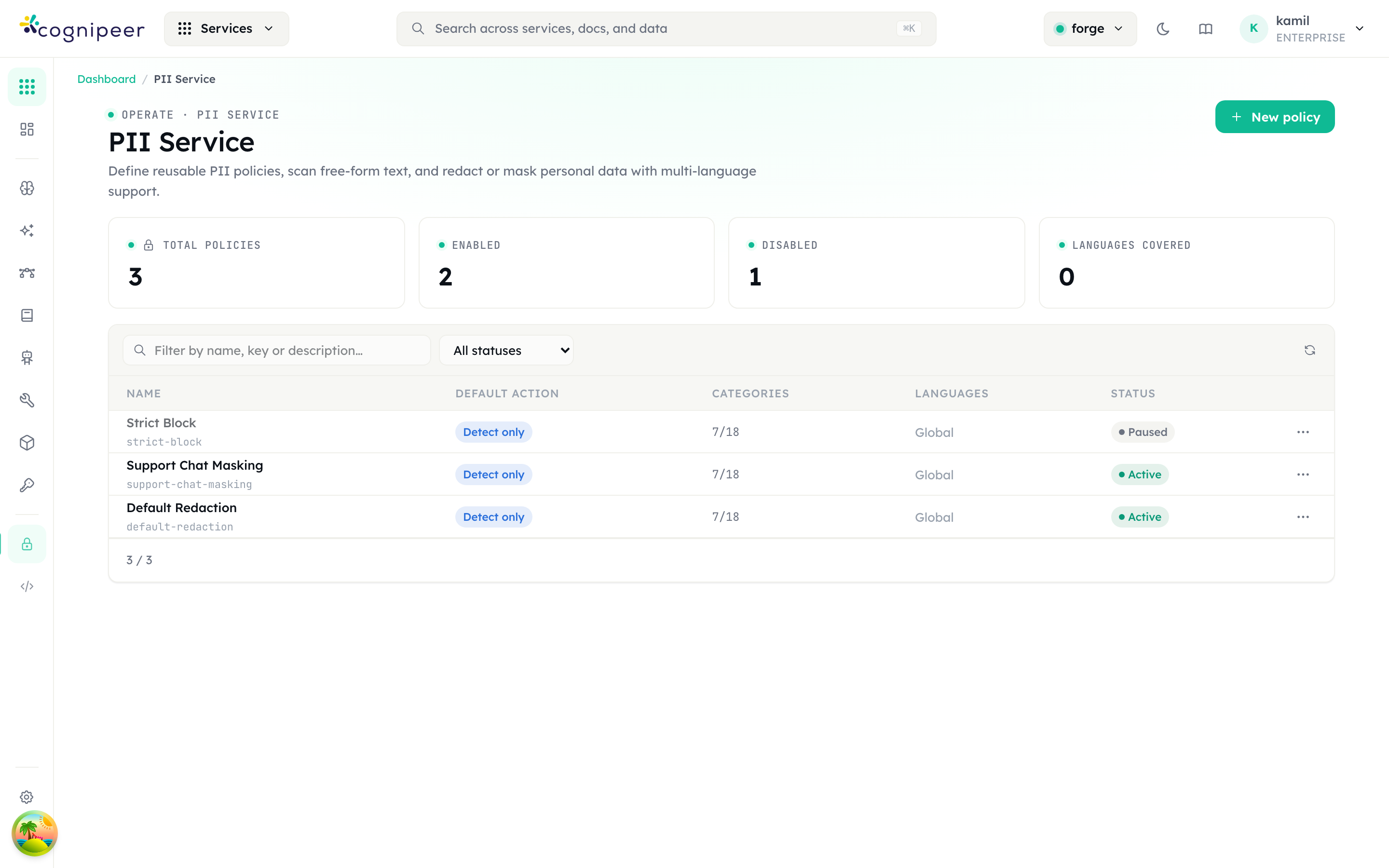
The policy list shows total / enabled / disabled counts and the languages covered, with each row carrying its default action, the number of enabled categories, the scanned languages, and an enabled/paused status toggle. New policy opens the editor.
Concepts
- Category — a built-in PII class (
email,phone,creditCard,iban,nationalId,passport,address,ipAddress,url,socialHandle,apiKey,cryptoWallet,birthDate,swift). Each category ships with multi-language detectors. - Policy — a named, project-scoped configuration that picks which categories are enabled, which languages to scan, a default action (
detect | redact | mask | block | tokenize), and any custom regex patterns. - Action
detect— return findings only (no transformation)redact— replace matches with[REDACTED_<CATEGORY>]mask— partially obfuscate the match (preserve first/last characters where applicable)tokenize— reversible masking: replace each match with a unique token ([EMAIL_1]) and return a vault so the original can be restored later viadetokenizeblock— surface a structured rejection that callers (e.g. inference) can short-circuit on
Supported Languages
global, en, tr, de, fr, es, it, pt, ar, ja, zh. A policy can pick a subset; if none is set, the detector falls back to global + the request locale.
Policies
Policies are stored in the tenant database (pii_policies) and scoped to a project. Create them in the dashboard or via API:
curl -X POST https://console.example.com/api/pii/policies \
  -H "Content-Type: application/json" \
  -d '{
    "name": "Customer support intake",
    "defaultAction": "redact",
    "categories": { "email": true, "phone": true, "creditCard": true },
    "languages": ["en", "tr"],
    "customPatterns": [
      { "name": "internal-ticket", "pattern": "TCKT-\\d{6}", "category": "custom", "action": "mask" }
    ]
}'Once stored, the policy is applied by its policy_key. Everything on the token-authenticated client API is policy-based — detect, redact, mask, tokenize, and scan under /api/client/v1/pii/* all require a policy_key, and the enabled categories, custom regex patterns, and languages all come from the policy (detokenize is the exception — it only needs the vault). This keeps detection rules — including custom patterns, and any term lists added later — controllable and auditable per policy rather than hard-coded per request. See the PII API reference.
Dashboard preview endpoints
The dashboard test panel (under Operate → PII) calls session-authenticated /api/pii/* endpoints to preview detection against the unsaved editor state while you build a policy. These accept categories/customPatterns inline (because there is no saved policy yet) and are not part of the token-authenticated client surface:
# Detect only
curl -X POST https://console.example.com/api/pii/detect \
  -d '{ "text": "Email me at alice@example.com", "locale": "en" }'

# Redact in place
curl -X POST https://console.example.com/api/pii/redact \
  -d '{ "text": "Card 4111 1111 1111 1111", "categories": { "creditCard": true } }'

# Partial mask
curl -X POST https://console.example.com/api/pii/mask \
  -d '{ "text": "+90 532 555 22 33" }'

# Reversible tokenize (returns outputText + vault)
curl -X POST https://console.example.com/api/pii/tokenize \
-d '{ "text": "Call +90 532 555 22 33 or mail a@x.com" }'The dashboard playground (under Operate → PII) uses these endpoints to give an instant preview while editing a policy.
LLM round-trip with tokenize / detokenize
tokenize + detokenize let you strip PII before a model call and restore it afterwards, even when the model only echoes the tokens. Token-authenticated integrations use the client surface (/api/client/v1/pii/*); see the PII API reference.
The vault covers every category — emails, phone numbers, IBANs, credit cards, IP addresses, national IDs, URLs, and any custom pattern:
# 1) Tokenize the prompt with a policy (mixed PII across categories)
curl -X POST https://gateway.example.com/api/client/v1/pii/tokenize \
  -H "Authorization: Bearer $TOKEN" \
  -d '{ "policy_key": "support-intake", "text": "Refund order to a@x.com on card 5555 5555 5555 4444; caller +90 532 555 22 33 from 192.168.1.42" }'
# → { "output_text": "Refund order to [EMAIL_1] on card [CREDITCARD_1]; caller [TR_PHONE_1] from [IPADDRESS_1]",
#     "vault": { "[EMAIL_1]": { "value": "a@x.com", "category": "email" },
#                "[CREDITCARD_1]": { "value": "5555 5555 5555 4444", "category": "creditCard" },
#                "[TR_PHONE_1]": { "value": "+90 532 555 22 33", "category": "tr_phone" },
#                "[IPADDRESS_1]": { "value": "192.168.1.42", "category": "ipAddress" } } }

# 2) Send output_text to the model. It replies, echoing the tokens:
#    "Refunded [CREDITCARD_1], emailed [EMAIL_1], and blocked [IPADDRESS_1]."

# 3) Detokenize the model reply with the same vault
curl -X POST https://gateway.example.com/api/client/v1/pii/detokenize \
  -H "Authorization: Bearer $TOKEN" \
  -d '{ "text": "Refunded [CREDITCARD_1], emailed [EMAIL_1], and blocked [IPADDRESS_1].", "vault": { ... } }'
# → { "output_text": "Refunded 5555 5555 5555 4444, emailed a@x.com, and blocked 192.168.1.42." }Repeated values share one token (a phone number appearing twice yields a single [TR_PHONE_1]), and tokens absent from the vault are left untouched on detokenize. The vault is returned to the caller and never persisted server-side — your application holds it for the duration of the round-trip.
Relationship to Guardrails
The Guardrails PII type wraps this service. When a guardrail of type pii is attached to a model:
- On every inference request the runtime calls
scanWithPolicy()against the configured PII policy. - If the policy's effective action is
block, the request is short-circuited with aguardrail_violationerror containing the findings. - If the action is
redactormask, the runtime substitutes the transformed text before forwarding to the provider.
Use a guardrail when you want PII enforcement inside the inference pipeline. Use the PII service directly when you need detect/redact/mask outside an LLM call (ingestion pipelines, audit jobs, ETL).
Service catalog
In the dashboard nav the PII service lives under Operate. It carries a new badge in the launcher and is keyword-searchable by pii, redact, mask, kvkk, gdpr, kişisel veri.
See the PII API reference for the full request/response schema.
Step by step: add a PII policy
Part 2 — Build the PII policy
Create the policy
Open Operate → PII Service.
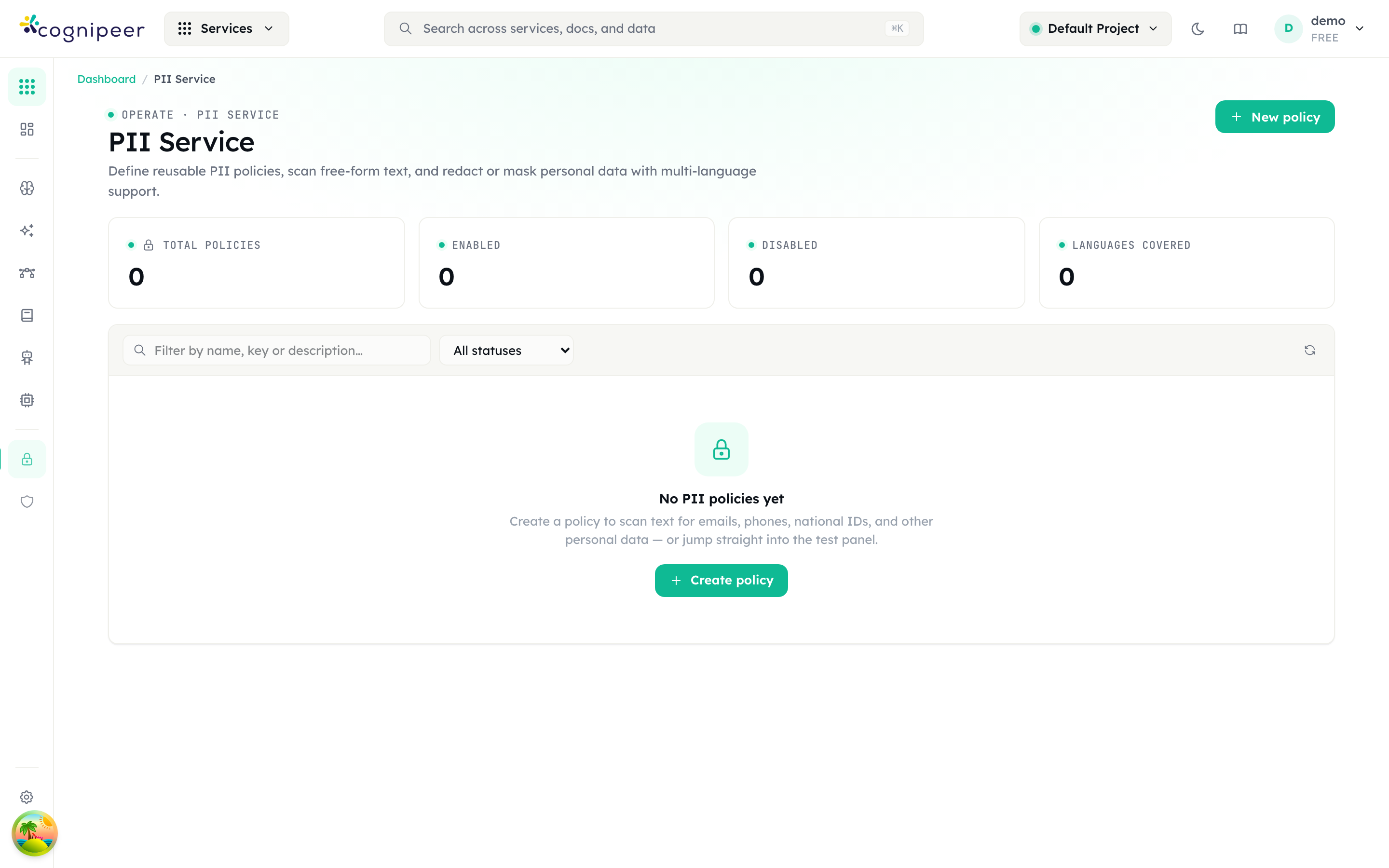
The tiles read Total policies, Enabled, Disabled and Languages covered; the grid columns are Name, Default action, Categories, Languages and Status. Press New policy.
| Section | Field | Notes |
|---|---|---|
| 1 · Name | Name, Description | Name is required; the policy key is generated from it |
| 2 · Default action | one of five chips | Detect only · Redact · Mask · Tokenize (reversible) · Block |
| 3 · Policy enabled | Policy enabled | "Disabled policies are skipped at evaluation time" |
A new policy starts with the seven default-on categories enabled: email, phone, creditCard, iban, tc_kimlik, tr_phone and tr_iban.
What each action does
| Action | output_text | Example |
|---|---|---|
| Detect only | Unchanged | Findings only, no transformation |
| Redact | Tag substitution | [REDACTED_EMAIL], [REDACTED_CREDITCARD] |
| Mask | Partial obfuscation per category | john@example.com → j***@example.com |
| Tokenize (reversible) | Numbered token | [EMAIL_1], plus a vault mapping token to original |
| Block | Unchanged | Every finding is marked block: true and has_blocking is true |
Masking strategy is a property of the category, not a setting: emails keep their domain, cards and phone numbers keep the last four characters, IBANs keep four at each end, IP addresses and dates collapse to [IP] and [DOB].
Configure categories and patterns
Open the policy and stay on Configuration.
Default action and Languages sit at the top. The Languages helper is exact: "Restrict patterns to specific languages. Global patterns always run." Leaving it empty applies no filter at all — every category stays available.
Built-in categories lists the catalogue as toggles, each with its severity badge and language tags.
| Category id | Label | Languages | On by default |
|---|---|---|---|
email | Email address | global | yes |
phone | Phone number | global | yes |
creditCard | Credit card number | global | yes |
iban | IBAN | global | yes |
swift | SWIFT/BIC code | global | no |
ipAddress | IP address | global | no |
url | URL | global | no |
socialHandle | Social handle | global | no |
apiKey | API token or secret | global | no |
cryptoWallet | Crypto wallet address | global | no |
birthDate | Date of birth | global | no |
address_en | Street address | en | no |
ssn_us | US Social Security Number | en | no |
passport_en | Passport number | en | no |
tc_kimlik | Turkish National ID (TC Kimlik No) | tr | yes |
tr_phone | Turkish phone number | tr | yes |
tr_iban | Turkish IBAN | tr | yes |
de_phone | German phone number | de | no |
Credit cards are Luhn-validated, TC Kimlik numbers are checksum-validated, and phone numbers are rejected outside 7–15 digits — so those three categories produce far fewer false positives than their regexes alone would suggest.
Custom patterns merges your own regexes on top. Add pattern creates a row with Category ID, Label, Regex pattern, Flags, Severity, Languages and an Enabled switch. Invalid regexes are flagged in place and are skipped at detection time rather than failing the call. A custom pattern has no action of its own — it inherits the policy's, and redacts to [REDACTED_<CATEGORY ID IN CAPS>].
Press Save changes.
Test it
The Test tab runs against the editor's current state, so you can try a category before saving it. Paste into Input text and press Detect, Redact, Mask or Tokenize. The result panes are Output, Vault (token → original) — only populated by Tokenize — and Findings, with severity, category, value and offset per row.
The tokenize round-trip
This is the reason to reach for the PII service rather than a guardrail. Tokenize strips values before a model call and detokenize restores them afterwards, so the model never sees the originals but its answer still reads correctly.
Repeated values collapse to one token: a phone number appearing twice yields a single [PHONE_1] and one vault entry. On the way back, tokens missing from the vault are left untouched, so a model that rewrites or drops a token degrades quietly rather than corrupting the text.
The vault is returned to you and is never persisted server-side. If you lose it, the mapping is gone.
Over the API: PII service
Every detection endpoint is policy-based: policy_key and text are both required. locale is optional and defaults to en (it selects the language of the finding messages, not which patterns run).
curl -X POST https://your-host/api/client/v1/pii/redact \
  -H "Authorization: Bearer $TOKEN" -H "Content-Type: application/json" \
-d '{ "policy_key": "support-intake", "text": "Mail john@example.com or call +90 532 555 22 33" }'curl -X POST https://your-host/api/client/v1/pii/tokenize \
-H "Authorization: Bearer $TOKEN" -H "Content-Type: application/json" \
-d '{ "policy_key": "support-intake", "text": "Refund john@example.com on card 5555 5555 5555 4444" }'
# → output_text: "Refund [EMAIL_1] on card [CREDITCARD_1]"
# vault: { "[EMAIL_1]": { "value": "john@example.com", "category": "email" }, … }curl -X POST https://your-host/api/client/v1/pii/detokenize \
-H "Authorization: Bearer $TOKEN" -H "Content-Type: application/json" \
-d '{ "text": "I refunded [CREDITCARD_1] and emailed [EMAIL_1].", "vault": { … } }'curl -X POST https://your-host/api/client/v1/pii/scan \
-H "Authorization: Bearer $TOKEN" -H "Content-Type: application/json" \
-d '{ "policy_key": "support-intake", "text": "…", "action": "mask" }'| Endpoint | Action | Needs a policy? |
|---|---|---|
POST /pii/detect | pinned to detect | yes |
POST /pii/redact | pinned to redact | yes |
POST /pii/mask | pinned to mask | yes |
POST /pii/tokenize | pinned to tokenize | yes |
POST /pii/scan | the policy's default action, or action in the body | yes |
POST /pii/detokenize | reverses a tokenize using its vault | no |
Every detection response carries policy_key, policy_name, action, findings, output_text, input_length, has_blocking and languages; tokenize adds vault.
Policies themselves are managed with POST /api/client/v1/pii/policies and PATCH / DELETE /api/client/v1/pii/policies/:key. defaultAction accepts detect, redact, mask, block or tokenize. Omit categories on create and you get the seven defaults. As with guardrails, PATCH replaces categories and customPatterns wholesale.
Full field reference: PII API.
Gotchas
Every item here is behaviour in the shipped code, not advice.
A disabled guardrail returns a vacuous pass. {"passed": true, "disabled": true, "findings": []} — HTTP 200, no findings, nothing evaluated. Treat disabled: true as "unknown", not "clean". A disabled PII policy behaves the same way: findings [] and output_text identical to the input.
Redaction is suppressed whenever anything blocks. redacted_text is only computed when at least one redact finding fired and no finding blocked. A policy that redacts PII while blocking profanity returns no redacted text on a message containing both — the request was rejected, so there is nothing to rewrite.
The PII service's block action does not block anything. It returns HTTP 200 with output_text identical to the input and has_blocking: true. There is no server-side enforcement on this surface; your code decides what to do with the flag.
The PII service writes no logs and no usage events. Unlike guardrails, it produces no evaluation history, no charts and no alert metrics. If you need an audit trail of PII decisions, record it yourself at the call site.
Language filtering runs before the category toggle. Categories are narrowed by Languages first, then by the on/off map. Enabling tc_kimlik while Languages is set to English means it never runs. An empty Languages applies no filter and leaves every category available — it does not fall back to global plus your locale.
The picker offers four languages; the API accepts eleven. The dashboard's Languages control lists Global, English, Turkish and German. The API validates against global, en, tr, de, fr, es, it, pt, ar, ja and zh — but only the first four have patterns behind them. Passing ja detects nothing beyond the global categories.
Guardrail PII ids and PII service ids are different vocabularies. tckn versus tc_kimlik, nationalId versus ssn_us, address versus address_en. A category id copied from one surface to the other silently matches nothing.
PATCH replaces objects wholesale. policy on a guardrail, categories and customPatterns on a PII policy — each is written as a complete value. Partial objects delete what they omit.