

Identity mapping and access
When a token passes verification, the console still has to answer two questions: which account is this person? and may that account use the portal? This page covers the first — identity mapping, the Who the token is card of the Embed tab — and the second — the portal's access rules for people who arrive through an embed.
Enterprise module
Embedding is part of the enterprise portals module — see Embedding a portal.
The rules here are the platform's shared verified-identity rules: the same ones that serve API tokens that act on behalf of a user (Acting for a user, Finding the person). The portal adds the frame, the session and the chat around them, so "the same person" means the same thing everywhere. To manage the accounts and groups an embed brings in, see External users.
What happens after the signature checks out
 verified token   (issuer, sub, email, email_verified, name, groups)
   │
   ▼  tried in this order, over the strategies you switched on
   1. By identity         an account that holds  externalIds[issuer] = sub
   2. By verified email   a MEMBER with that address, only if the host verified it
                          (with 1 also on, the match is LINKED to the identity)
   3. Nobody              "When nobody matches":  refuse, create a member, or create an external account
   │
   ▼
 the account is checked   disabled: refused. Workspace owner or admin: refused.
   │                      (nothing has been written for it yet: no link, no rename, no group)
   ▼
 the account is brought up to date   external account: name and email. Groups: the ones you mapped.
   │
   ▼
the session is opened then, on every request, the policy engine decides portal.use and agent.invokeSteps 1 and 2 run in that order over the strategies you switched on. A person is matched, created or refused — never guessed.
The settings
Match people by
Two independent switches. At least one must be on (the default is By a verified email address).
| Switch | Finds | Notes |
|---|---|---|
By the identity in the token (externalId) | The account that holds this issuer + subject: people made earlier by this embed, and members whose address was linked on an earlier sign-in. | The identity is qualified by its issuer, so two issuers can never be mistaken for each other. |
By a verified email address (verifiedEmail) | A member of the workspace with the token's address (compared case-insensitively). | Only when the token says email_verified: true (or you turned on Trust the host's addresses). External accounts are never found by address, and neither are service accounts. |
Both on — recommended for a staff intranet. The first sign-in matches the member by address and links the identity to them (externalIds[issuer] = sub, audited as user.identity.link). Every later sign-in is by identity. From then on a different subject of the same issuer who presents the same address does not take the member over — it is refused (identity_not_found). A member's own profile (name, email) is never rewritten from a token.
Only the address. Nothing is linked; every sign-in matches by address. Anyone your application will sign an address for becomes that member, so only use it when your application verifies addresses.
Only the identity. Only accounts that already hold the identity can sign in — in practice, accounts the embed created itself.
Trust the host's addresses without email_verified
Off by default. On: an email claim counts as verified even without email_verified: true. Turn it on only if your application never signs an address it did not check — anybody who can make your application sign an arbitrary address could otherwise sign in as that member. (It only appears while By a verified email address is on.)
When nobody matches
| Choice | Result | The new account |
|---|---|---|
| Refuse them (default) | identity_not_found (HTTP 403). Only people who already have an account can use the chat. | — |
Create a member account (person) | An ordinary workspace member is made on the spot. | Needs an address your application says is verified, and the address must be free (otherwise identity_not_found). Role User, no password in Console, name from the token (or the part of the address before @). Managed by your application or identity provider. |
Create an external account (external) | An account of kind external is made on the spot. | Cannot sign in to the dashboard, cannot own API tokens, always the User role, found only by its identity. Its name and email follow the token at every sign-in. Needs no address. |
Both kinds:
- Count toward the licence's user limit — the same check, in the same default-project context, as inviting a person. When it is full the sign-in is refused as
quota_exceeded(HTTP 403). - Are created once, even if the same new person arrives in several tabs at the same moment (the oldest account wins; duplicates remove themselves).
- Are audited as
user.jit.createwith the issuer as the actor (delegated:<issuer>).
External accounts are left out of member lists and pickers, and listed in the Authorization center with a badge. The Embed tab shows how many exist (N external users).
Groups
Under Groups, map values of the token's groups claim to console group names:
| Value in the token | Console group name |
|---|---|
support-agents | Support agents |
contractors | Contractors |
How it behaves — these rules exist so a token can never grant more than you decided:
- The console creates the group for your application (for the issuer) the first time someone arrives with that value. It is a delegated group: its members follow the token and cannot be edited by hand.
- The claim is the truth for those groups: leave the claim, or remove the mapping, and the person leaves the group at the next sign-in. The console re-syncs on every exchange, and re-checks an unchanged claim about every five minutes.
- A group an administrator made — a local group, an LDAP group, an SSO group — is never filled or emptied from a token, even if its name is the same. An issuer cannot put anybody in it.
- A group that has been given a workspace role or service permissions is never filled from a token (it is reported as skipped in the audit entry). Give access to these groups with projects and policies instead.
- When a mapping is removed, embedding is switched off, or the portal is deleted, the memberships your application put in those groups are removed at once — unless another portal that still embeds trusts the same issuer and maps the same group name. Groups belong to the issuer, not to a portal.
- At most 100 mappings; a value is 1 to 200 characters, a console group name 1 to 120, and the same value cannot be mapped twice.
Attach policies, limits and project access to these groups like to any other group.
Who is never signed in by a token
Your application's word is enough to be an ordinary person. It is not enough to be an owner.
- Workspace owners and administrators are never signed in through a token. The check is on the account's effective power: its own role and the workspace role of every group it belongs to. An owner, an admin, and a person who is an admin through a group are refused as
identity_privileged— before anything is written for the account, so a refused call leaves it exactly as it was. Service permissions do not count. There is no setting to relax this: administrators try a portal with Open as test or the Try it page. - Disabled accounts are refused as
account_disabled, both when matched and again just before the session is opened. - A service account (a non-person account) is not a person an issuer can vouch for; it is treated as "nobody".
Who may use the portal
Embedded people are ordinary users (or external ones). The same policy engine that decides for everyone decides here, on every request: first whether the person may open the portal (portal.use), then whether they may run each agent (agent.invoke).
Under People who arrive through the embed:
| Choice | Meaning |
|---|---|
| Must be on the access list (default) | The portal's access list decides — the people and groups chosen on the portal's Access tab. Combine it with the group map: map your application's groups to console groups and put those groups on the access list. |
| Anyone your application has verified | Every person whose embed token the portal verified is admitted. Use it when your application decides who may see the chat. Network restrictions still apply, and it only applies to sessions made by the embed exchange. |
The network restriction of the portal applies to the person's own address as the console sees it (the frame's requests come from the person's browser). Behind a reverse proxy, list the proxy in TRUSTED_PROXIES first, or every person looks like the proxy — see Configuration.
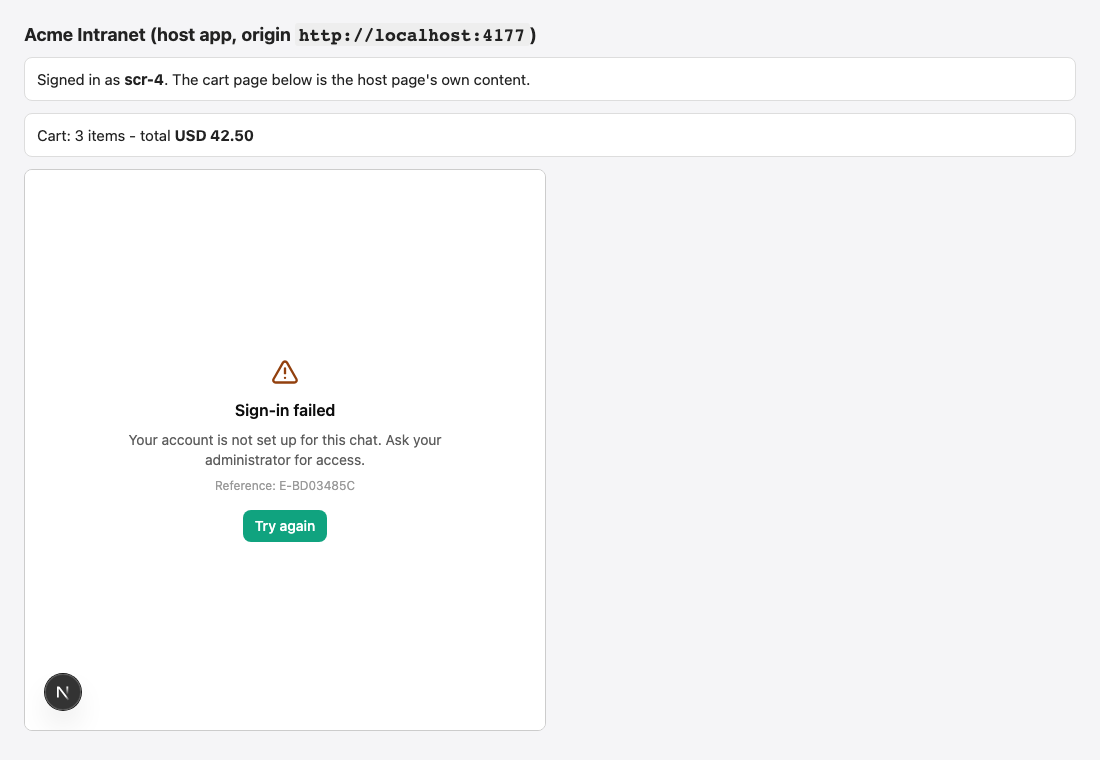
A refusal after sign-in is a friendly screen with a reference code; an administrator finds the decision by that code in the Authorization center. How the engine decides, network restrictions and test sessions are covered in Portal access boundaries.
Recipes
Staff intranet — people already have Console accounts
- Match by: identity and verified email.
- When nobody matches: Refuse them.
- Your token:
email,email_verified: true, a stablesub. - Access: Must be on the access list, with a staff group on the list.
Staff intranet — no Console accounts yet
- When nobody matches: Create an external account (no password, no dashboard access, no API tokens) — or Create a member account if your people should be real workspace members. Both need a licence seat.
- Map your directory groups to console groups and put those on the access list, or choose Anyone your application has verified if your application already decides who sees the chat.
Customer-facing product
- Match by: identity only. When nobody matches: Create an external account.
- Access: Anyone your application has verified; use
groupsfor tiers ("plan-pro") and attach limits to those groups. - If your product serves several workspaces with one signing key, turn on Require the workspace in the audience — see Sign people in.
Keep sign-ins strictly pre-approved
- When nobody matches: Refuse them. Add people to the portal's access list yourself.
What is audited
| Event | Service | Meaning |
|---|---|---|
portal.embed.exchange | portals | A token was accepted. Carries the issuer, subject, secret id, origin, whether the account was provisioned, and the number of groups added, removed and skipped. |
portal.embed.refused | portals | A token was refused, with the exact reason and the reference code the person was shown. |
user.jit.create, user.identity.link | members | An account was created, or an identity was linked to a member. Actor delegated:<issuer>. |
group.jit.create, group.member.add, group.member.remove | members | A delegated group was created or its membership changed. Actor delegated:<issuer>. |
portal.embed.memberships_released | portals | Memberships were removed because a mapping, or embedding itself, went away. |
Find them under Configure → Audit Log.