

Multi-Tenancy
Cognipeer Console is a fully multi-tenant platform with complete data isolation per company. Each tenant gets a dedicated database — either a separate SQLite file (default) or a separate MongoDB database.
Database Backends
SQLite (default)
Each tenant gets its own .sqlite file. No external services required:
data/
├── console_main.sqlite       ← Shared database
│   ├── tenants               ← Tenant registry
│   └── tenant_user_directory ← Cross-tenant email lookup
├── tenant_acme.sqlite        ← Tenant "acme"
│   ├── users
│   ├── api_tokens
│   ├── models
│   ├── providers
│   ├── vector_indexes
│   ├── guardrails
│   ├── prompts
│   ├── memory_stores
│   ├── rag_modules
│   └── ...
└── tenant_globex.sqlite ← Tenant "globex"Enable with: DB_PROVIDER=sqlite (default — no env var needed).
MongoDB
MongoDB Server
├── console_main              ← Shared/Main database
│   ├── tenants               ← Tenant registry
│   └── tenant_user_directory ← Cross-tenant email lookup
├── tenant_acme               ← Tenant "acme" database
│   ├── users
│   ├── api_tokens
│   ├── models
│   ├── providers
│   ├── vector_indexes
│   ├── guardrails
│   ├── prompts
│   ├── memory_stores
│   ├── rag_modules
│   └── ...
├── tenant_globex             ← Tenant "globex" database
│   └── ...
└── ...Enable with: DB_PROVIDER=mongodb and set MONGODB_URI.
Note: The database abstraction layer ensures all application code works identically with both backends. Switch by changing a single environment variable.
Tenant Model
Each tenant has:
| Field | Description |
|---|---|
companyName | Display name |
slug | URL-friendly identifier (unique) |
dbName | Database name (tenant_{slug}) |
licenseType | Active license tier |
ownerId | Owner user ID |
Projects & Members
Inside a tenant, work is scoped into projects and access is granted to members. Both are managed from the dashboard.
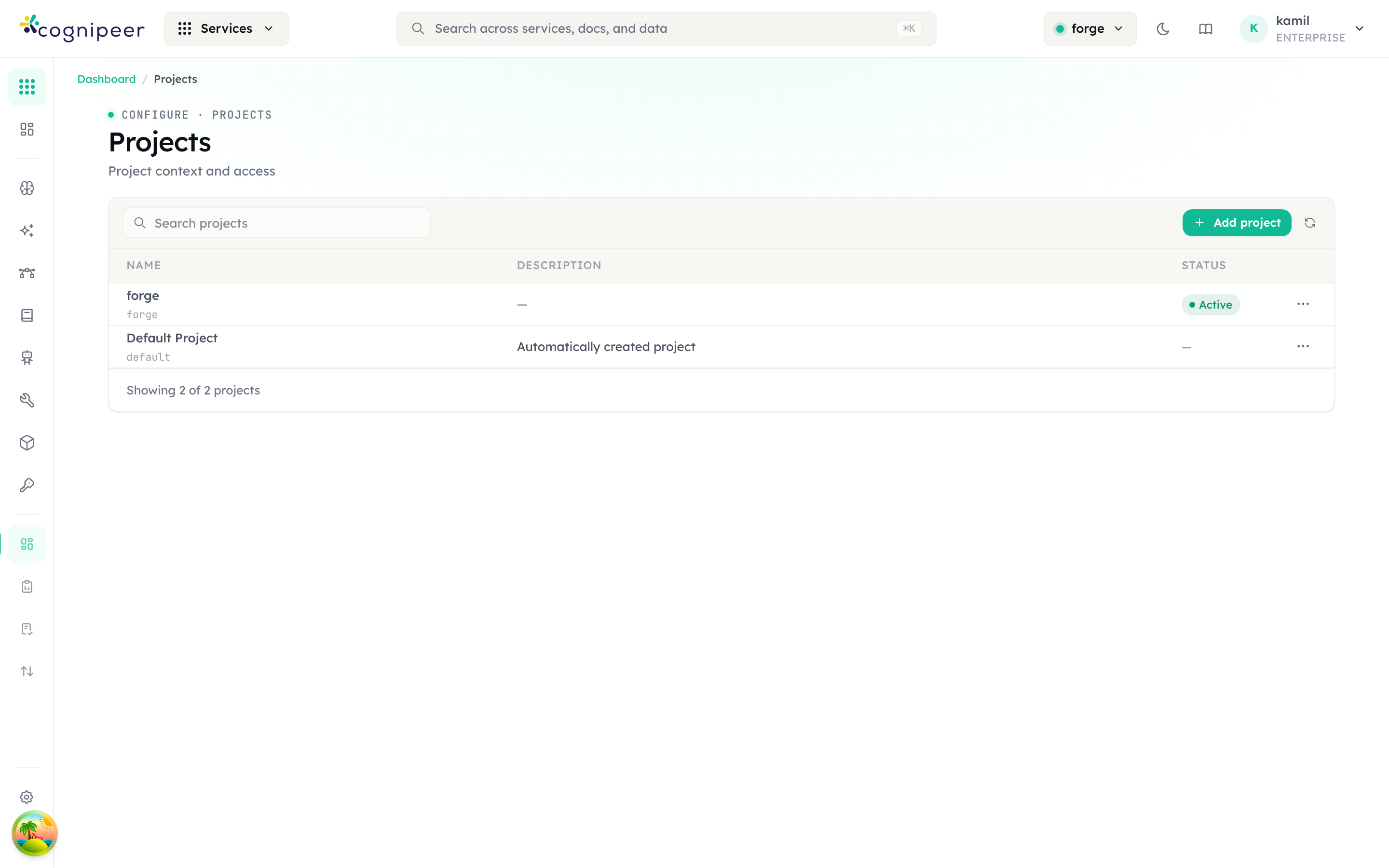
Projects (Configure → Projects) carry the active-project context that every feature reads — switching the header project pill changes the scope of models, vector stores, agents, and usage:
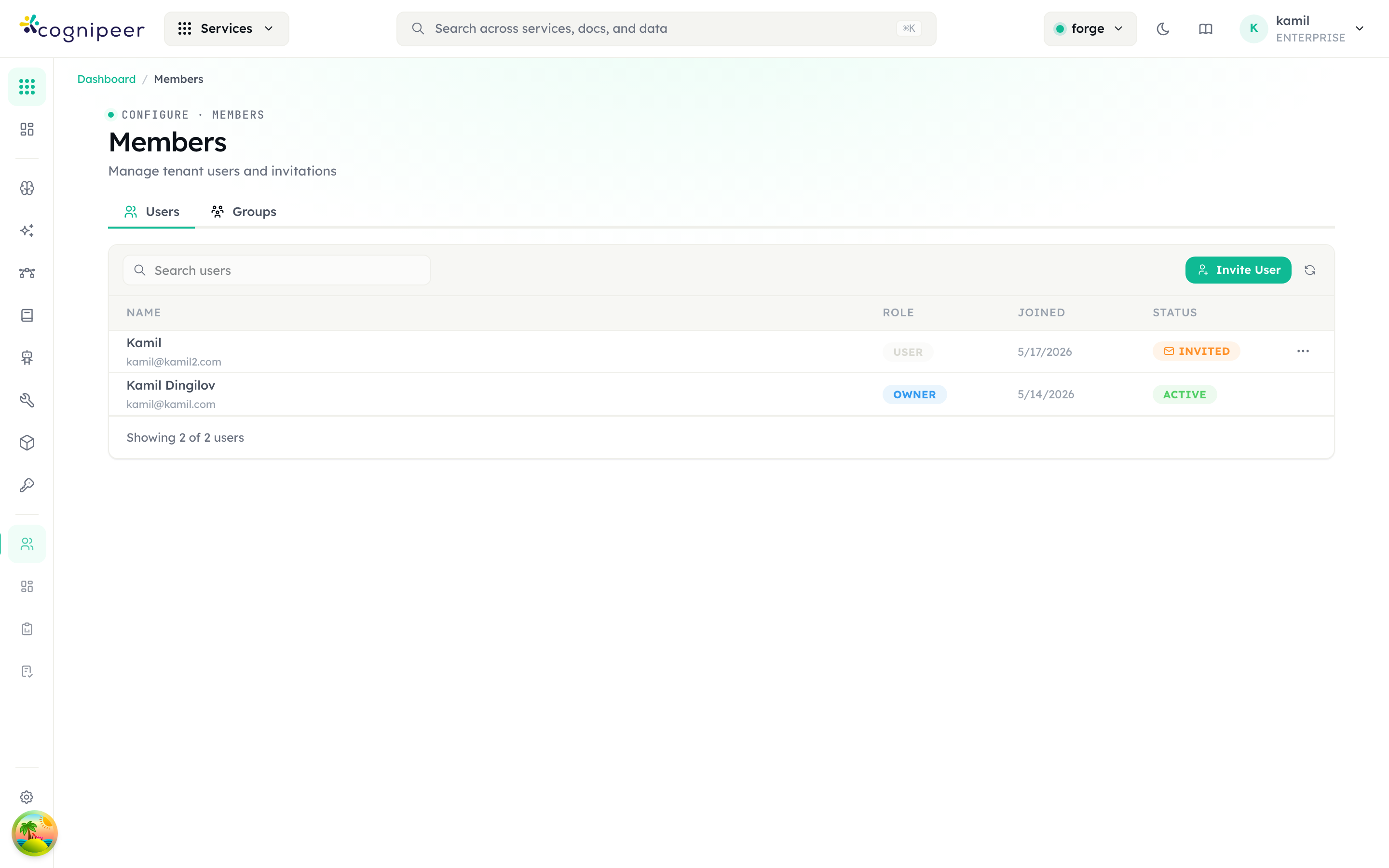
Members (Configure → Members) lists the tenant's users and pending invitations, each with a role (owner, user, …) and status (active, invited). A user created as a Programmatic User (canLogin: false — no password, email optional) shows a "No login" status badge instead, plus a "Programmatic" badge next to its role; see Authentication for what that flag means. The Groups tab manages group-based tenant/project grants:
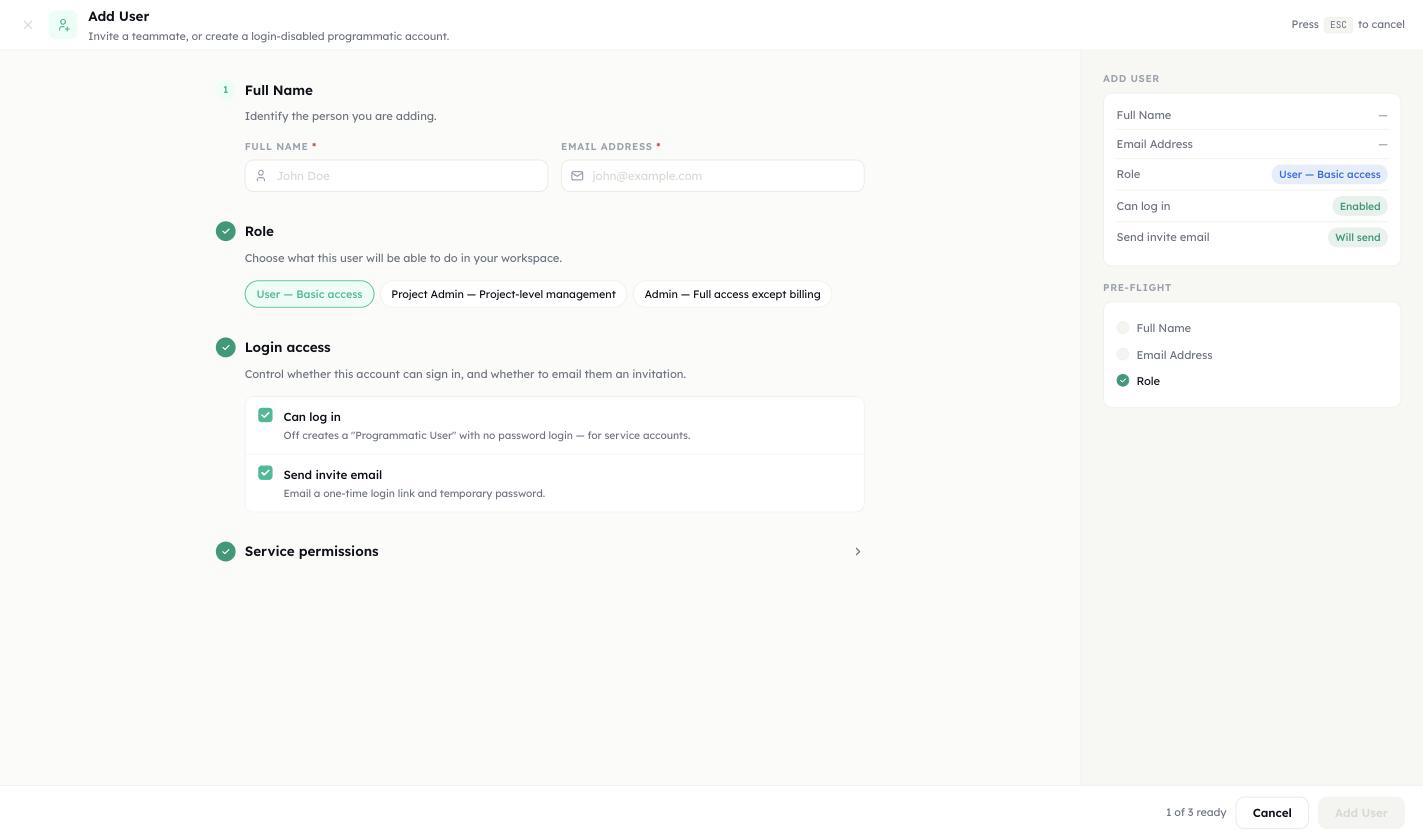
Add User modal replaces invite-only (September 2026)
Configure → Members → Add User now opens a modal that can create a member directly (with a password) or a Programmatic User (no password) in one flow, instead of the old invite-only entry point. A Send invite toggle controls whether the new member gets an email to set their own password. Members can also trigger a password-reset for any user from their row, independent of the invite flow.
Access inside a project
Each member (a person, or a group assigned to the project) can carry a level per service for a project. These project service permissions only ever lower what the workspace level allows, and API tokens run under the project limits of the project they are bound to. Groups raise access at the workspace level and open the projects they are assigned to. The rules, and the custom policies that add exceptions, are in Authorization (IAM).
Bulk import
For onboarding many members at once, Configure → Members → Import accepts a CSV upload instead of adding rows one at a time. Failed rows are reported individually rather than aborting the whole import, so a handful of bad emails don't block the rest of the batch.
Database Abstraction
All database access goes through the abstraction layer — never import MongoDB directly:
import { getDatabase, getTenantDatabase } from '@/lib/database';

// Main database (tenant registry)
const db = await getDatabase();
const tenant = await db.findTenantBySlug('acme');

// Tenant database (user data, configs, etc.)
const tenantDb = await getTenantDatabase('tenant_acme');
const users = await tenantDb.listUsers();switchToTenant Pattern
const db = await getDatabase();
await db.switchToTenant(`tenant_${slug}`);
// All subsequent queries are scoped to this tenant
const user = await db.findUserByEmail(email);Tenant Context in Routes
Middleware injects tenant identity into request headers:
| Header | Description |
|---|---|
x-tenant-id | Tenant ObjectId |
x-tenant-slug | Tenant slug |
x-tenant-db-name | Full database name (tenant_acme) |
Dashboard Routes
export const GET = withRequestContext(async (request) => {
  const tenantDbName = request.headers.get('x-tenant-db-name')!;
  const tenantId = request.headers.get('x-tenant-id')!;

  // All queries scoped to this tenant
  const db = await getTenantDatabase(tenantDbName);
  const models = await db.listModels();

  return NextResponse.json({ data: models });
});Client API Routes
export async function POST(request: NextRequest) {
  const ctx = await requireApiToken(request);
  // ctx.tenantDbName, ctx.tenantId, ctx.tenantSlug — all available
  // Database already switched to tenant
}Tenant Creation
When a user registers, the system:
- Creates a tenant record in
console_main.tenants - Creates a new database
tenant_{slug} - Creates the user as owner in the tenant database
- Initializes default collections and indexes
- Generates a JWT with tenant info embedded
Security Rules
- Never create query patterns that can return cross-tenant data
- Always call
switchToTenant()before user/token operations - Use middleware-injected headers as the source of truth for tenant identity
- Never trust client-supplied tenant identifiers without verification