

Usage and Stop Notices
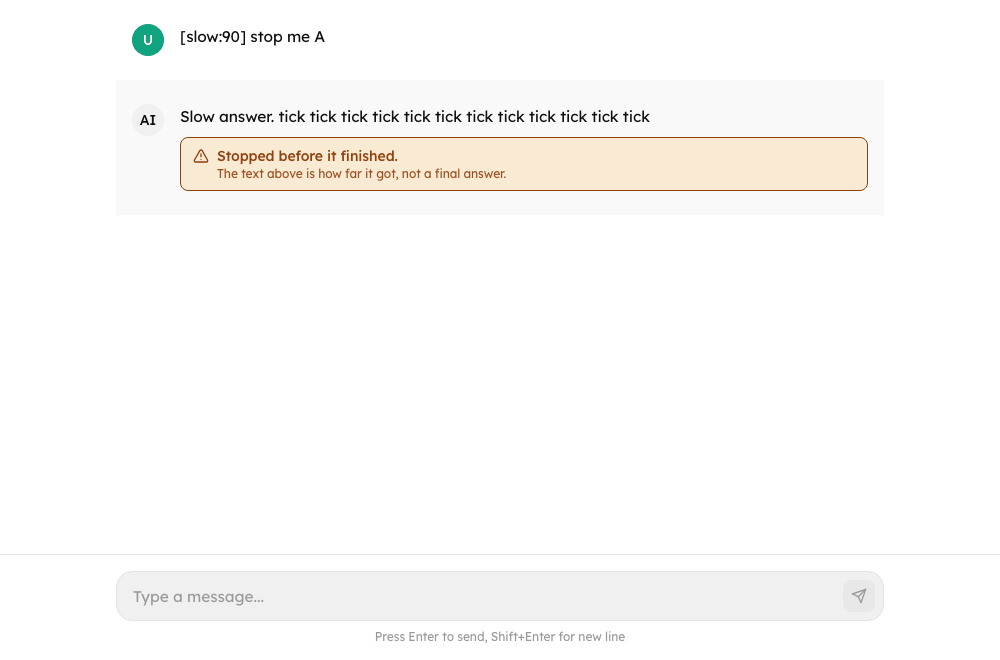
The pieces that tell a person where a conversation stands: the usage meter and notice (BudgetBanner), the line under an answer that ended early (MessageStopNotice), the warnings about a turn that still completed (MessageWarnings) and the notice for a reply that was cut off (InterruptedNotice). Chat draws them; use them directly in a custom layout.
New in 0.4.0
All of these are new. The flows are in Usage Limits and Running Turns and Stop.
Import
import { BudgetBanner, MessageStopNotice, MessageWarnings, InterruptedNotice } from "@cognipeer/chat-ui";BudgetBanner
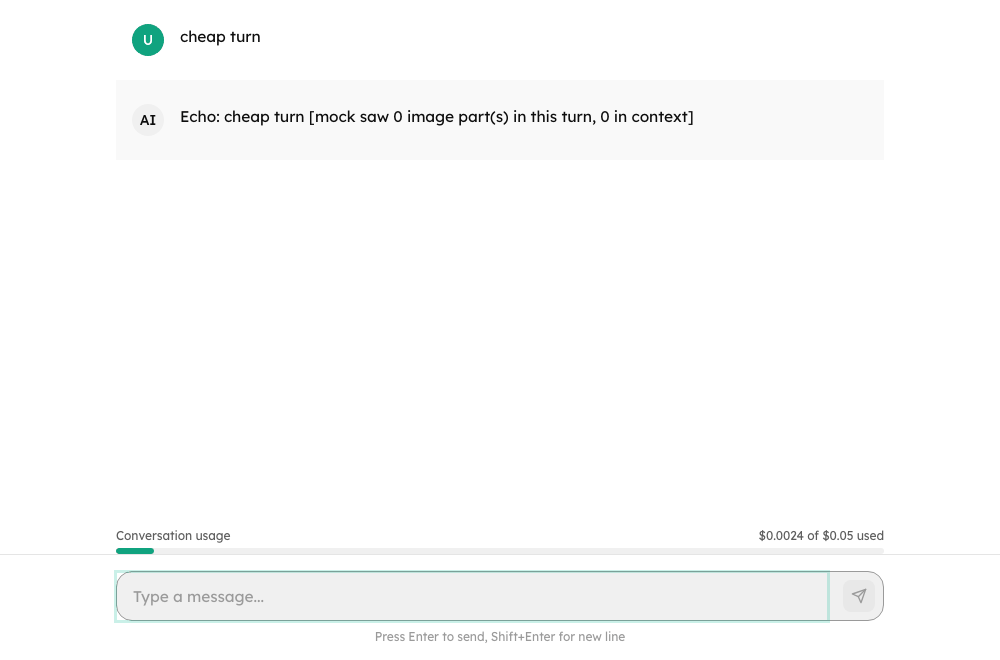
<BudgetBanner
  budget={chat.budget}
  spentUsd={chat.spentUsd}
  exhausted={chat.budgetExhausted}
  canContinue={chat.canContinue}
  canEdit={chat.canUpdateBudget}
  busy={chat.isStreaming}
  onContinue={() => chat.continueConversation()}
  onUpdate={(budget, { continue: carryOn }) => chat.updateBudget(budget, { continue: carryOn })}
/>| Prop | Type | Default | Description |
|---|---|---|---|
budget | ConversationBudget | null | required | The limit; nothing shows without one unless exhausted |
spentUsd | number | - | What the conversation has cost, in USD |
exhausted | boolean | required | The limit is used up: show the notice |
showMeter | boolean | true | The spent / limit bar (also while there is room) |
canContinue | boolean | false | Offer Continue for a paused conversation whose limit has room again. Without canEdit it is offered whenever the conversation is paused |
canEdit | boolean | false | Offer a field for a new limit with Increase and continue (paused) or Increase limit (ended) and Remove limit |
busy | boolean | false | A continuation or a change is being sent |
onContinue | () => void | - | Carry on a paused turn |
onUpdate | (budget | null, { continue }) => void | - | Raise or remove (null) the limit; continue carries a paused conversation on afterwards |
className | string | - | Container class |
The meter is a progressbar with a value text ("$1.25 of $5.00 used"), the notice is a role="status" block, and the new limit has to be above what was spent (an invalid entry shows an alert).
MessageStopNotice
<MessageStopNotice message={message} hasText={Boolean(message.content)} />| Prop | Type | Description |
|---|---|---|
message | Message | Read for stopReason (also from metadata.stopReason) and status |
hasText | boolean | Whether the message has text of its own: a stopped answer says the text is how far it got, or that nothing was written |
render | (props: StopNoticeRenderProps) => ReactNode | Replace the notice; receives { message, stopReason, detail, hasText }. Return null to show nothing |
className | string | Container class |
It renders nothing for a plain answer (end_turn) and for a pause (the cards say that). Sentences: "Stopped before it finished." (cancelled), "The assistant reached a limit and stopped." (limit), "The assistant used up its allowed steps and stopped." (max_turns), "This conversation reached its usage limit." (budget_reached), "Something went wrong and the assistant stopped." (error) and "This answer may be incomplete." (status: "incomplete" without a reason). The runtime's own wording (stopDetail) is only handed to render.
MessageWarnings
<MessageWarnings message={message} />Lists metadata.warnings ({ code, message? }) under an answer as a labelled list ("Notes about this answer"). A code with a string (file_truncated, file_unreadable, images_not_supported, pause_state_too_large) is shown in the page's language; any other shows the server's message, else the code.
InterruptedNotice
<InterruptedNotice message={lastUserMessage} onRetry={() => chat.retryInterrupted()} />For a conversation that ends on the person's own message because the run was cut off. Says "The reply was interrupted" and offers Retry when onRetry is given (without it, a transcript, it only says what happened). render replaces it; it then receives stopReason: "error" and onRetry.