

Files
People attach files to a conversation - a contract to summarise, a photo to describe, a CSV to analyse - and the agent reads them. The server stores the files, keeps them apart per person, deletes them when they are no longer wanted, and gives the agent what is in them.
New in 0.3.0
Files reach the agent now (inline, in pages, images by reference), uploads can be the file's own bytes, files are owned by their uploader, expire after files.retentionDays (30 by default) and are limited per conversation. A message attaches files by id (fileIds). If you upgrade a server that already stores files, read Upgrading to 0.3.0 first: expiry is on by default and a file can only be attached to the conversation it was uploaded to.
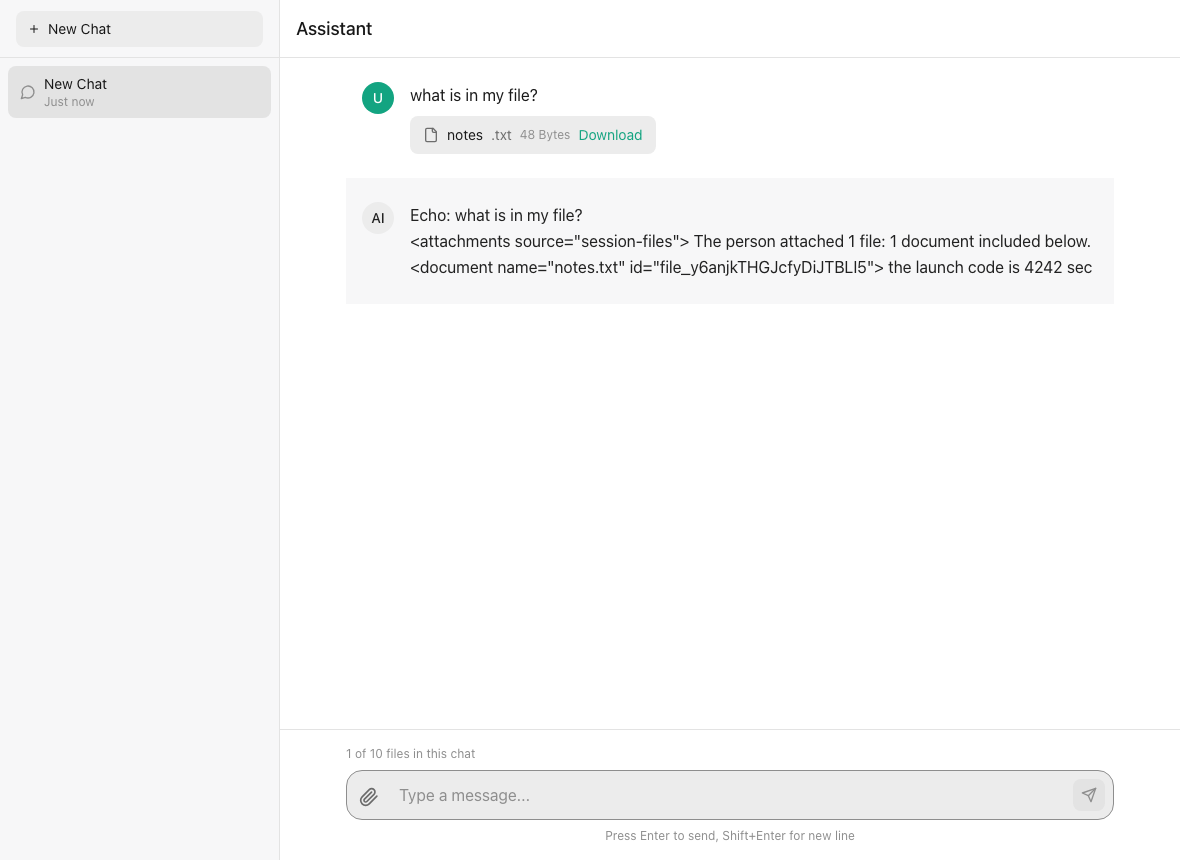
A text file attached to a message (@cognipeer/chat-ui with the standalone example). The agent was handed the document inside the message; the scripted model of the example simply echoes what it received. The "1 of 10 files in this chat" line is GET /conversations/:id/files (total of maxFiles).
- Settings - what a conversation may hold, and how long
- Uploading - as the file's own bytes, or as JSON
- Who sees a file
- Attaching files to a message
- What the agent gets - documents inline or in pages, images, and what each kind of agent receives
- Images
- Reading PDF and Office files
- Retention
- Listing and downloading
- What an agent says about what it accepts
- Errors
Settings
files on the server sets the rules for every agent; files on a registration overrides single fields for one agent. Every field has a default.
const server = createAgentServer({
  basePath: '/api/agents',
  storage,
  files: {
    maxFiles: 10,                 // files one conversation may hold
    maxFileSize: 20 * 1024 * 1024,
    allowedMimeTypes: ['text/*', 'application/pdf', 'image/*'],
    retentionDays: 30,            // 0 keeps files for good
  },
});

// One agent: images on, no more than three files, nothing but pictures
server.registerSDKAgent('vision', agent, { name: 'Vision' }, {
  files: { vision: true, maxFiles: 3, allowedMimeTypes: ['image/*'] },
});
// registerCustomAgent / registerChatCompletionsAgent / registerResponsesAgent take the same last argument,
// and a registration in `agents: [...]` carries it as `files`.| Field | Default | |
|---|---|---|
enabled | true | false on an agent refuses uploads to its conversations (403 attachments_disabled) |
maxFiles | 10 | files one conversation may hold (409 too_many_files). limits.maxFiles is the number one message may attach |
maxFileSize | limits.maxFileSize, else 10 MiB | bytes; never more than the storage provider holds. An agent may ask for more than the server's default - your HTTP adapter has to let that much through (see adapters) |
allowedMimeTypes | any | types and image/* style wildcards (415 unsupported_file_type) |
inlineMaxTokens | 30 000 | up to this (estimated characters / 4, for all the documents of one message together) the text goes into the message; over it see What the agent gets |
readPageChars | 20 000 | characters per page of session_files_read |
retentionDays | 30 | days a file lives after upload; 0 = for ever |
vision | false | the agent's model looks at images; see Images |
attachNewUploads | false | files uploaded to a conversation that no message has carried yet ride along with its next message, as if listed in fileIds |
maxImages / maxImageBytes | 6 / 12 000 000 | what one model request carries |
carryRecentImages | 2 | earlier image messages that keep showing their images |
extractText(file, bytes) | turns a file into text; see below | |
extractCacheBytes | 32 MiB | text kept in memory so a file is not converted again for every page and turn. Server only |
purgeIntervalMs | 1 hour | how often the retention sweep runs; 0 turns it off. Server only |
Uploading
POST /files takes the file as itself - the bytes as the body, the file's own Content-Type, and the rest in the query:
await fetch(`/api/agents/files?name=${encodeURIComponent(file.name)}&conversationId=${conversationId}`, {
  method: 'POST',
  headers: { 'Content-Type': file.type, Authorization: 'Bearer ...' },
  body: file,                       // a File, a Blob, a Buffer
});name is required; conversationId ties the file to a conversation (without it the file belongs to nobody's conversation and cannot be attached to a message); mimeType overrides the header. The old JSON form still works:
await fetch('/api/agents/files', {
  method: 'POST',
  headers: { 'Content-Type': 'application/json', Authorization: 'Bearer ...' },
  body: JSON.stringify({ file: { name, content: base64, mimeType }, conversationId }),
});A request without a Content-Type is the JSON form. The answer is 201 { file }: the record with its id, size, conversationId, expiresAt.
The stored type is the declared one without parameters (text/plain; charset=utf-8 becomes text/plain); application/octet-stream - or a value that is not a MIME type - is guessed from the extension. The file is checked against the settings of the conversation's agent: enabled, size (400 with details.reason: "file_too_large"; the base64 form is checked before it is decoded), type, and how many files the conversation already holds. An empty file is 400 File is empty.
Multipart form uploads are not supported: a multipart/* or application/x-www-form-urlencoded body is answered 415 unsupported_media_type (and not read) instead of being stored as a file that is the whole form envelope. Send the bytes as the body, or use the JSON form.
Uploads that arrive together are let in one after the other per conversation, so maxFiles holds for them; a file stored by another server instance at the same moment is caught by a check after the file is stored (the oldest maxFiles files keep their place, the later one is taken back out and answered 409 too_many_files).
A file uploaded without a conversationId counts against no conversation's maxFiles and cannot be attached to a message. It is bounded by maxFileSize and by retentionDays (the retention sweep deletes it); if you expose uploads to many users, put a per-user quota or rate limit in front of the route.
Adapters
The adapters hand the route the bytes. The default body limit of the Node, Express and Next.js adapters is derived from the registered agents' files.maxFileSize (server.maxUploadBytes()). An agent your host builds per request (agents: (ctx) => [...]) is not known when the server starts: if one of them accepts bigger files than the server's default, set limits.maxBodySize (Node, Express, Next.js; Node also takes maxBodyBytes) or the Fastify uploadBodyLimit above your largest file, or its uploads are refused with 413 although the agent advertises the size.
| Adapter | |
|---|---|
Node (createNodeHandler) | reads the body as bytes for POST /files with a non-JSON Content-Type; the limit is limits.maxBodySize or maxBodyBytes, by default ~1.4 x the largest files.maxFileSize (server.maxUploadBytes()) |
| Fastify | the plugin registers buffer parsers for the types Fastify has none for (and text/plain) in its own scope. uploadBodyLimit is the body limit of POST /files alone: set it above your largest file |
| Express | takes req.body when it is a Buffer (express.raw({ type: '*/*' }) on the upload route), else reads the request itself |
| Next.js | authenticates first, then reads the body in pieces and answers 413 once it is over limits.maxBodySize (by default ~1.4 x the largest files.maxFileSize, as for Node) |
Who sees a file
A file belongs to the person who uploaded it. GET /files/:id, GET /files/:id/content and DELETE /files/:id answer 404 - the same as for a file that does not exist - to anybody else, and to anybody who cannot open the file's conversation. A message can only attach a file that belongs to its own conversation and to the caller (404 otherwise); a file with no conversation cannot be attached anywhere. With resolveContext the identity is the resolved user; without it the rules are as lenient as they are for conversations (a caller whose identity is unknown sees what carries no owner).
A file stored by your own code with storage.saveFile and no userId follows its conversation.
Attaching files to a message
await fetch(`/api/agents/conversations/${conversationId}/messages`, {
  method: 'POST',
  headers,
  body: JSON.stringify({
    message: 'Summarise the contract',
    fileIds: [file.id],               // uploaded earlier into this conversation
    files: [{ name: 'extra.txt', content: base64, mimeType: 'text/plain' }],   // or sent right here
  }),
});fileIdsare checked before the turn starts (404,400for a malformed list or more thanlimits.maxFiles), streamed or not: a refused file is an HTTP status, never a frame of a stream.files(inline) are stored first - in this conversation, owned by the sender, under the same limits as an upload - and then count exactly likefileIds. The user message carries their real ids.- With
attachNewUploadsthe files nobody has sent yet are added too.
The stored user message keeps what the person typed and files ({ id, name, mimeType, size }); what the agent is told about the files is built from them on every turn.
What the agent gets
SDK agents (registerSDKAgent) get the user message with an attachment block after the person's text. It opens with a line naming every attachment by kind - "The person attached 4 files: 3 documents to read with the tools (session_files_list, session_files_read), 1 image shown below." - and then, for the documents of that message:
Inline - when their text together is within
inlineMaxTokens:<document name="..." id="...">...</document>blocks.In pages - over it: a note listing the files (with their ids and page counts), and the agent reads them with
session_files_listandsession_files_read({ fileId, page }). The agent must have those tools; build it with them:tsimport { createSessionFileTools } from '@cognipeer/agent-server'; const agent = createSmartAgent({ model, tools: [...myTools, ...createSessionFileTools()], // session_files_list, session_files_read });The tools are read-only and find the conversation of the turn that calls them, so one set serves every conversation. They are plain tool objects (agent-sdk is an optional peer of this package).
Tool Arguments Answers session_files_listnone a JSON list of { fileId, name, mimeType, size, readable, image? }for every file of the conversation, or "No files are attached to this conversation."session_files_readfileId,page(1-based, default 1){ text, page, pages }(a page isfiles.readPageCharscharacters);{ error: "Page N is out of range.", pages }past the end; a plain sentence for a file that is not this conversation's, an image, or a file with no readable textsession_files_view_imagefileIdonly with createSessionFileTools({ viewImage: true }): names the image; the model sees it in the message that follows (needswithSessionImages, below)Cut - over it, for an agent that does not have the tools (the server looks at
agent.__runtime.tools): the start of the documents, up to the limit, and afile_truncatedwarning on the response, onstream.doneand on the assistant message (metadata.warnings). Chat Completions and Responses agents always get this, since they cannot call tools.
A document whose text cannot be read is named in the block ("...is attached, but its text could not be extracted"), and a file that expired or was deleted since is named as no longer available - the turn never fails because of a file.
Each later turn rebuilds the same block for earlier messages, so the model keeps seeing what it saw. The text of a file is read from storage once and kept in memory (extractCacheBytes).
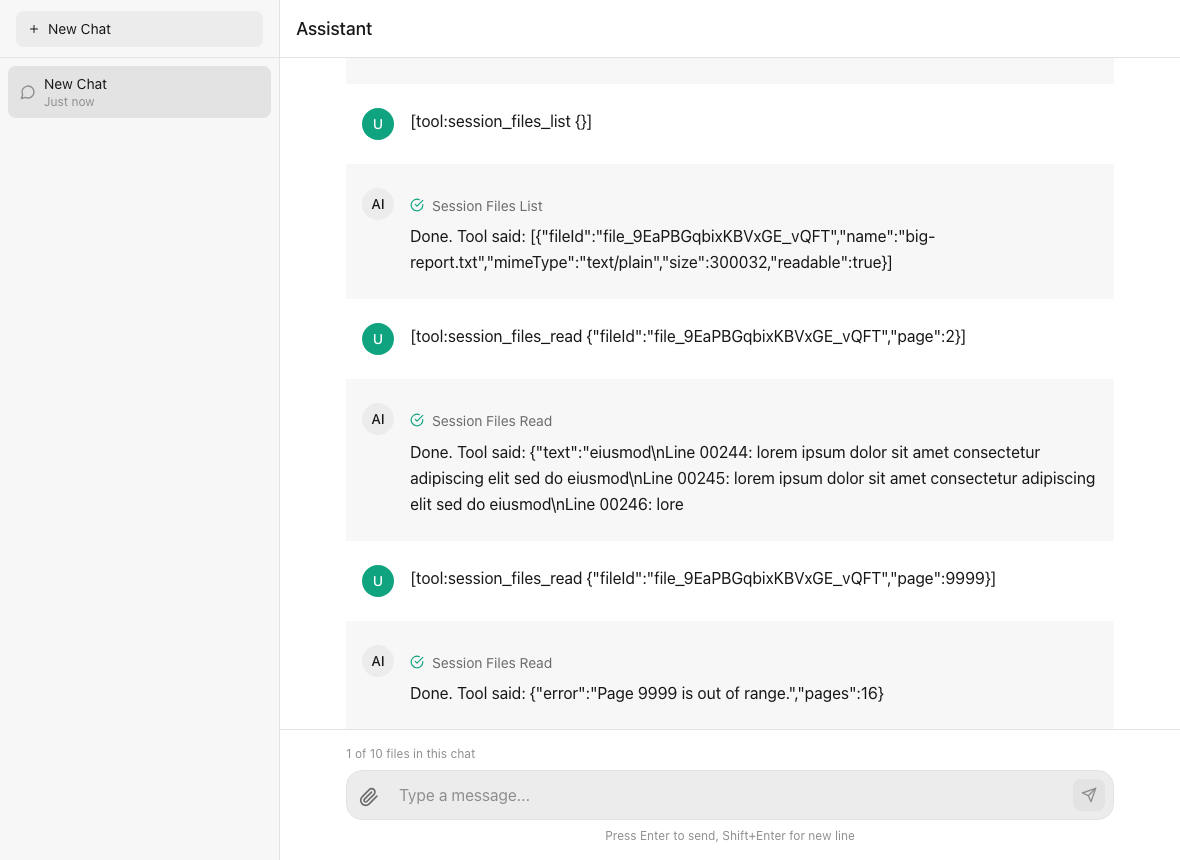
An agent reading a large document in pages: session_files_list names the file, session_files_read({ fileId, page }) returns one page, and a page past the end answers with an error that names the page count ("Page 9999 is out of range.","pages":16).
Chat Completions / Responses agents get the same text; pictures go in as image_url data URLs (Chat Completions) or input_image parts (Responses).
Custom handlers get message (what the person typed - the files are not in it), files (with real ids) and two readers scoped to the conversation:
server.registerCustomAgent('analyst', {
  async processMessage({ message, files, getFileContent, getFileText }) {
    for (const file of files ?? []) {
      const bytes = await getFileContent!(file.id);   // Buffer, or null for any other id or a file that expired
      const text = await getFileText!(file.id);       // extracted the way an SDK agent gets it, or null
    }
    return { content: '...' };
  },
}, { name: 'Analyst' });resolveAction gets the same two readers.
Host-backed agents are handed the files (input.files) and read them through io.files: list(), read(fileId) and text(fileId), scoped to the conversation (Host-backed agents).
Images
An image is shown to the model when the agent's files.vision is true and the picture is a PNG, JPEG, GIF or WebP; an SVG is a text document. Without vision the agent is only told "[Image "cat.png" (id ...) is attached, but this agent cannot read images.]", the response carries an images_not_supported warning, and capabilities.attachments.acceptsImages is false so a client can say so before the person sends.
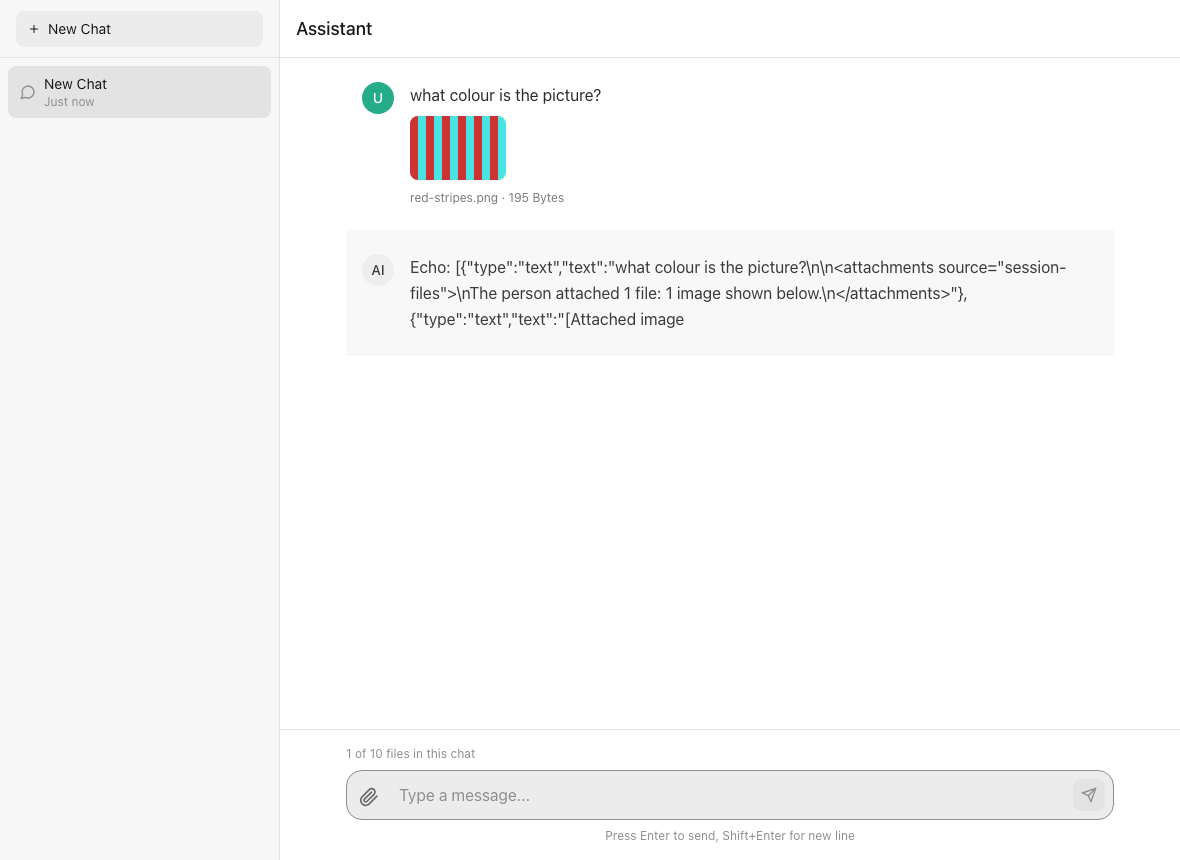
An image attached to a message. For an agent with files.vision: true the model receives it as a session-file://<id> reference that is resolved to the picture where the model is called.
In the agent's input an image is a reference, not bytes: { type: 'image_url', image_url: { url: 'session-file://<fileId>' }, fileId, name }, preceded by a text handle [Attached image: "cat.png" (id ...)] - without one the model has nothing to call the picture by once a summary flattens the turn. The bytes are read from storage where the model is called, so a paused state, a trace and the SDK's token estimate never carry megabytes of base64 (an inline 55 KB photo was counted as ~18 000 tokens and made the SDK compact a conversation that was nowhere near full).
Wrap the model, and the references are resolved at the call:
import { createImageAwareTokenCounter, createSessionFileTools, withSessionImages } from '@cognipeer/agent-server';

const agent = createSmartAgent({
  model: withSessionImages(model),
  tools: [...myTools, ...createSessionFileTools({ viewImage: true })],
  tokenCounter: createImageAwareTokenCounter(),
});withSessionImages(model)wrapsinvoke,streamand whatbindToolsreturns. What the model receives is animage_urlpart whoseurlis adata:URL - the one form both of the SDK's model adapters read (the native providers read URLs and data URLs only; LangChain models take it as it is);withSessionImages(model, { format: 'sdk-base64' })writes agent-sdk's typed{ base64, media_type }instead, for a LangChain model that wants it. The newest images win the request's budget (maxImages,maxImageBytes); an older one becomes a text placeholder that names the file. A file that is gone becomes "[Image "..." is no longer available]". Outside a server turn the wrapper changes nothing.createSessionFileTools({ viewImage: true })addssession_files_view_image({ fileId }): the tool answers with the file's name and the wrapper puts the picture in a message that follows the result. That is how the agent looks at an earlier image again.createImageAwareTokenCounter()bills an image what a provider does (about 850 tokens), not by its length.
An agent whose model is not wrapped still gets its pictures: the server reads them itself when it hands over the input and turns them back into references before it stores a paused state. (session_files_view_image needs the wrapper. The token counter is independent of it, and worth having either way: without it the SDK estimates a picture by the length of its base64.)
carryRecentImages (default 2) says how many earlier image messages keep showing their images besides the one being answered; older ones are only named ("was attached earlier and is not shown in this request", with a pointer to session_files_view_image when the agent has it). Set it to 0 to show the current message's images only.
Reading PDF and Office files
The default extractor reads text/*, JSON, XML, YAML and similar types as UTF-8, and a file of unknown type that is plainly text. PDF, Word, Excel, PowerPoint and similar files are converted to Markdown when the optional peer package is installed:
npm install @cognipeer/to-markdownWithout it such a file is attached but has no text (the agent is told so, and the server logs one warning). To take over - OCR, another converter, a tenant's own rules - set files.extractText:
files: {
  async extractText(file, bytes) {
    if (file.mimeType === 'application/pdf') return await myOcr(bytes);   // the text
    if (file.name.endsWith('.secret')) return null;                      // no text for this one
    return undefined;                                                    // not mine: use the default
  },
}A converter that throws leaves the file unreadable for that turn (named in the block, file_unreadable warning) and nothing is cached.
Retention
A file gets expiresAt = upload + retentionDays (nothing when retentionDays is 0). The server deletes expired files - record and content - from the same sweep that recovers runs (at its first request, while runs.recoverOnStart is on, and then every runs.sweepIntervalMs), at most once per files.purgeIntervalMs, in batches; with storage leases only one node purges at a time. await server.purgeExpiredFiles() does it on demand (and is how you run it when the sweep is off).
A conversation's files go with the conversation. Deleting a file does not rewrite history: the message still lists it and later turns name it as no longer available.
Listing and downloading
GET /conversations/:id/files- the files the conversation holds, oldest first, withtotalandmaxFiles. A client uses it for the count it shows.GET /files/:id- the record.GET /files/:id/content- the bytes, as a download (Content-Disposition: attachment,X-Content-Type-Options: nosniff,Cache-Control: private, no-store).?disposition=inlineshows a picture, a PDF or plain text in place; HTML, SVG and other active types are only ever downloads. The file name and type are sanitised before they reach a header.
What an agent says about what it accepts
GET /agents and GET /agents/:id carry the answer, so a client needs no configuration of its own:
{
  "id": "vision",
  "capabilities": {
    "attachments": {
      "enabled": true,
      "maxFiles": 3,
      "maxFileSize": 10485760,
      "allowedMimeTypes": ["image/*"],
      "acceptsImages": true,
      "retentionDays": 30
    }
  },
  "metadata": { "enableFileUpload": true, "maxFileSize": 10485760, "maxFiles": 3, "allowedFileTypes": ["image/*"], "acceptsImages": true }
}retentionDays is how long an uploaded file is kept, counted from the upload (0: until its conversation is deleted) - show it next to the paperclip. metadata carries the same as the keys the first chat-ui read (kept for it); whatever the host puts in info.capabilities.attachments or info.metadata wins, field by field.
Errors
| Status | error.code | |
|---|---|---|
| 400 | VALIDATION_ERROR | no file, no name, an empty file, a malformed fileIds, more files than limits.maxFiles in one message, a file over the size limit (details.reason: "file_too_large", details.maxBytes) |
| 403 | attachments_disabled | the agent takes no files |
| 403 | FORBIDDEN | the conversation is not the caller's |
| 404 | NOT_FOUND | the conversation, or a file that is not the caller's / not in this conversation |
| 409 | too_many_files | the conversation holds maxFiles files (details.maxFiles, details.held) |
| 413 | PAYLOAD_TOO_LARGE | the request body is over the adapter's limit; STORAGE_LIMIT_EXCEEDED when the storage provider cannot hold the file |
| 415 | unsupported_file_type | the type is not in allowedMimeTypes |
The per-conversation count needs the storage provider's file index (listFiles; all four built-in providers have it): a custom provider without it still stores and serves files, but maxFiles, attachNewUploads and the retention sweep do nothing, and GET /conversations/:id/files lists the files the messages carry.
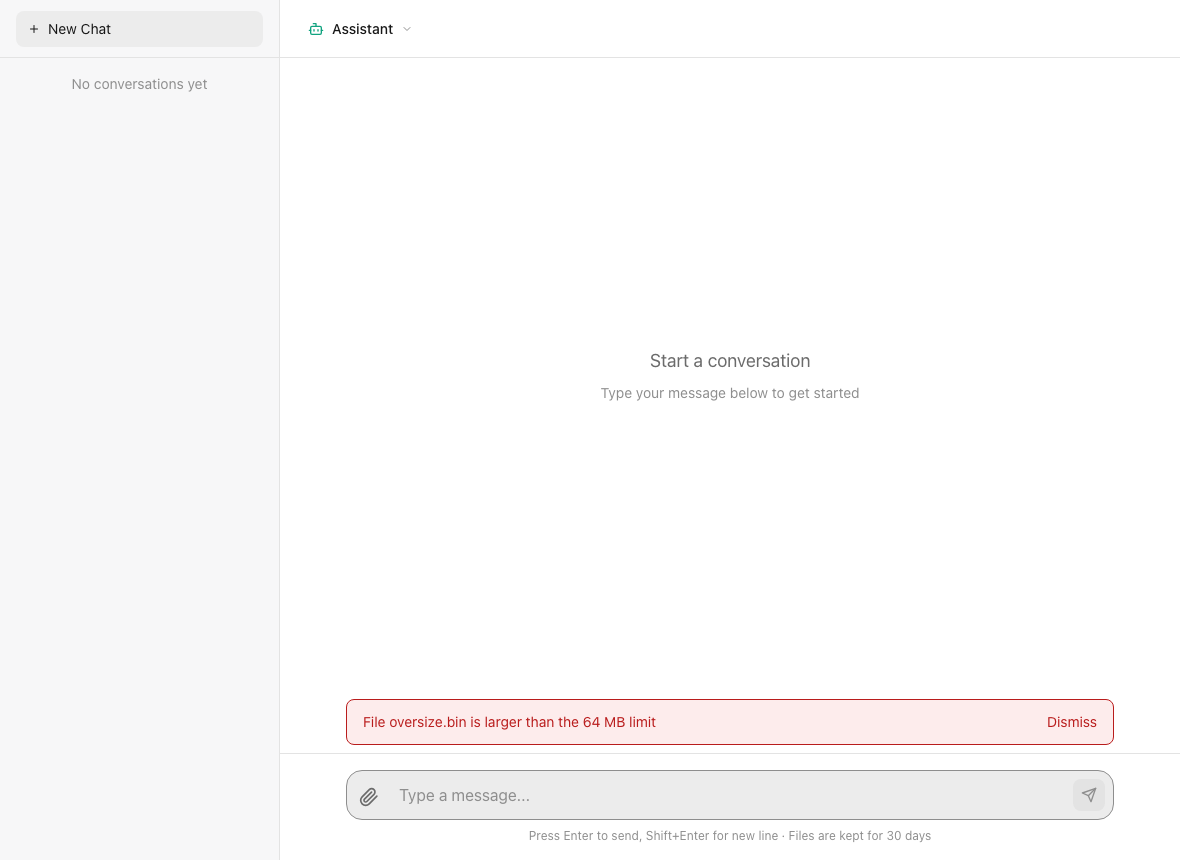
A client that reads capabilities.attachments.maxFileSize from GET /agents can refuse a file before it is sent; the server refuses it too (400 VALIDATION_ERROR, details.reason: "file_too_large"). The 64 MB limit here is the standalone example's own setting, not a default.
Troubleshooting
| Symptom | Cause and fix |
|---|---|
413 PAYLOAD_TOO_LARGE for a file the agent advertises | The HTTP body limit of your adapter is below the file. The default follows the largest files.maxFileSize of the agents registered at startup; for agents built per request set limits.maxBodySize (Node, Express, Next.js) or uploadBodyLimit (Fastify). Next.js and your host may have smaller limits of their own. |
400 VALIDATION_ERROR with details.reason: "file_too_large" | The file is over files.maxFileSize (or limits.maxFileSize) for that agent. |
415 unsupported_media_type | The upload was sent as multipart/form-data or a form. Send the bytes as the body with ?name=, or use the JSON form. |
415 unsupported_file_type | The type is not in the agent's allowedMimeTypes. |
409 too_many_files | The conversation holds files.maxFiles files. Delete one, or raise the limit for that agent. |
404 for a file you just uploaded | The caller is not the uploader, or the file belongs to another conversation, or it was uploaded without conversationId (such a file cannot be attached anywhere). |
403 attachments_disabled | files.enabled: false for that agent. |
| The agent says a PDF or Office file has no text | @cognipeer/to-markdown is not installed (the server logs one warning), or files.extractText returned null. Install the package or provide an extractor. |
The agent only got the start of a long document and a file_truncated warning | The agent has no session_files_* tools (Chat Completions / Responses agents never do). Add createSessionFileTools() to an agent-sdk agent. |
| "This agent cannot read images" | files.vision is off for that agent, or the model is not wrapped in withSessionImages; the response carries images_not_supported. |
| A file is "no longer available" in an old conversation | It passed files.retentionDays and the sweep deleted it. Set retentionDays: 0 to keep files for good. |
| Expired files are not deleted | The sweep is off (runs.sweepIntervalMs: 0) or the provider has no file index (fileIndex). Call server.purgeExpiredFiles(). |
Security notes
- Validate what you accept.
allowedMimeTypeschecks the declared type, not the content; scan uploads if you need that. - Size.
maxFileSizeis enforced before a base64 body is decoded and while a raw body is read; the adapters refuse larger bodies with a 413. - Ownership is checked on every file route and on attach; keep
resolveContextconfigured for a multi-user deployment. - Downloads never render active content in your origin: HTML and SVG are attachments, and file names are sanitised.